
Here you can find a list of all current settings with detailed description for every single option.
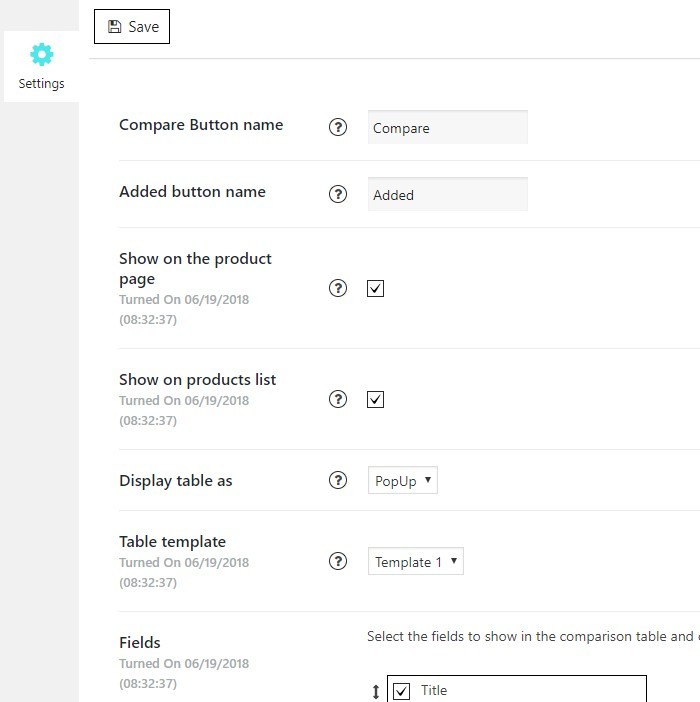
- Compare button name – a field to manage a text for adding a product to table button
- Added button name – a field to manage a text for a button, which appears after adding product to table, and reveals table itself by being clicked.
- Show on the product page – check this box, if you want to allow table appearing on the individual product pages
- Show on products list – check this box, if you want to allow table appearing on pages with product lists, such as shop page
- Display table as – choose a way for table displaying
- Table template – select table preset from the list
- Fields – select fields to be shown in the comparison table. You can reorder them by dragging an arrow. Note – fields content is filled automatically from WooCommerce attributes