Product Comparison Main Settings
Here you can find a list of all current settings with detailed description for every single option.
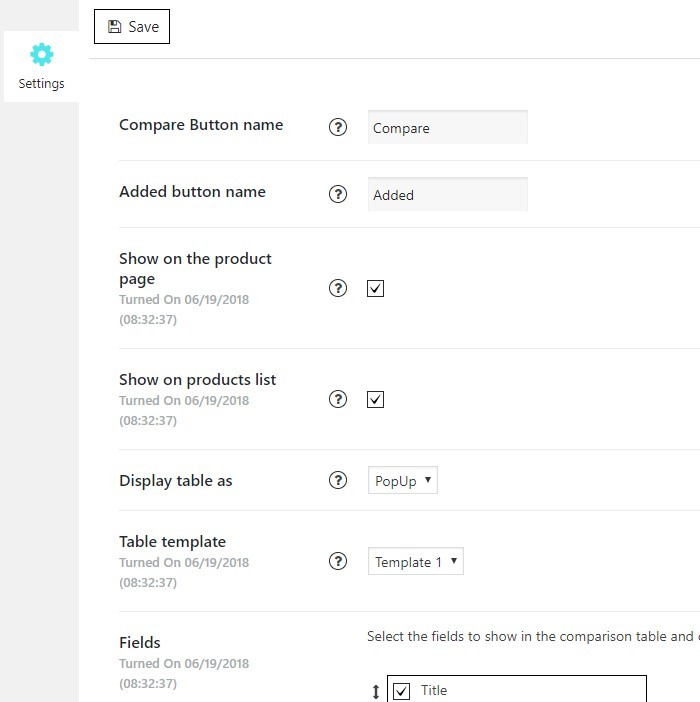
- Compare button name, a field to manage a text for adding a product to table button
- Added button name, a field to manage a text for a button, which appears after adding product to table, and reveals table itself by being clicked.
- Show on the product page, check this box, if you want to allow table appearing on the individual product pages
- Show on products list, check this box, if you want to allow table appearing on pages with product lists, such as shop page
- Display table as, choose a way for table displaying
- Table template, select table preset from the list
- Fields, select fields to be shown in the comparison table. You can reorder them by dragging an arrow. Note, fields content is filled automatically from WooCommerce attributes
Still stuck?
Ask in the free support forum on wordpress.org. The developers answer there, and every answer helps the next store owner.