
Currency Switcher Plugin comes with Geo IP rules feature that provides an automatical change of currency according to customer’s IP.
The first time visitor comes to the site and currency is switched to the one used in the customer country. That will be the currency he will see on the website unless he manually selects another one.
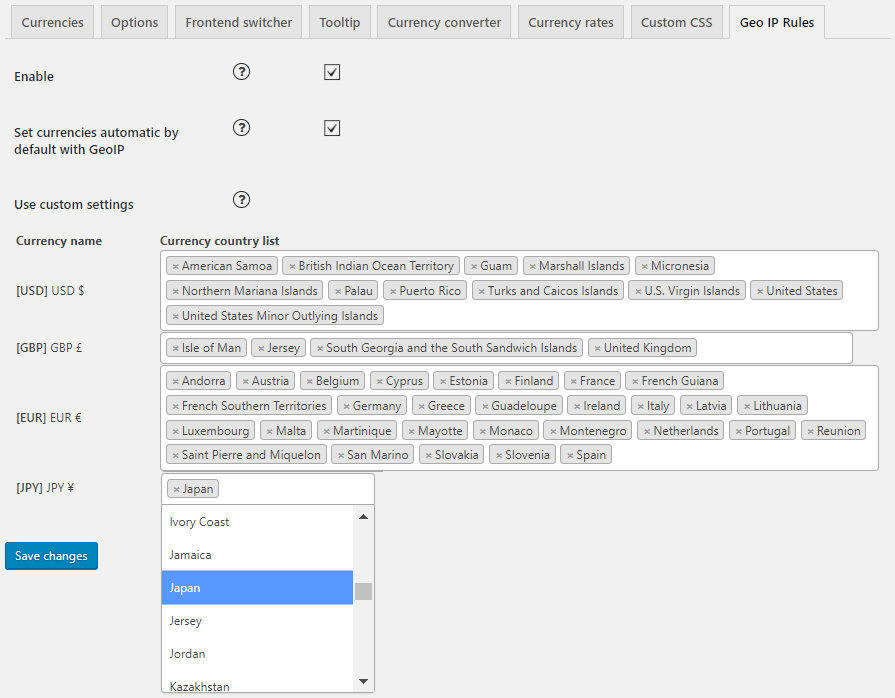
Set currency automatic by default option autocompletes countries for your selected currencies.
Also, you can define the currencies for each country.
Using custom settings you are able to specify the definition of the currency yourself, just select countries from a list for each currency. All other countries that are not on the list will display a default currency. To use these settings you need to disable the option “Set currencies automatic by default with GeoIP”.
Using a VPN server we demonstrate changes in prices depend on IP and country:
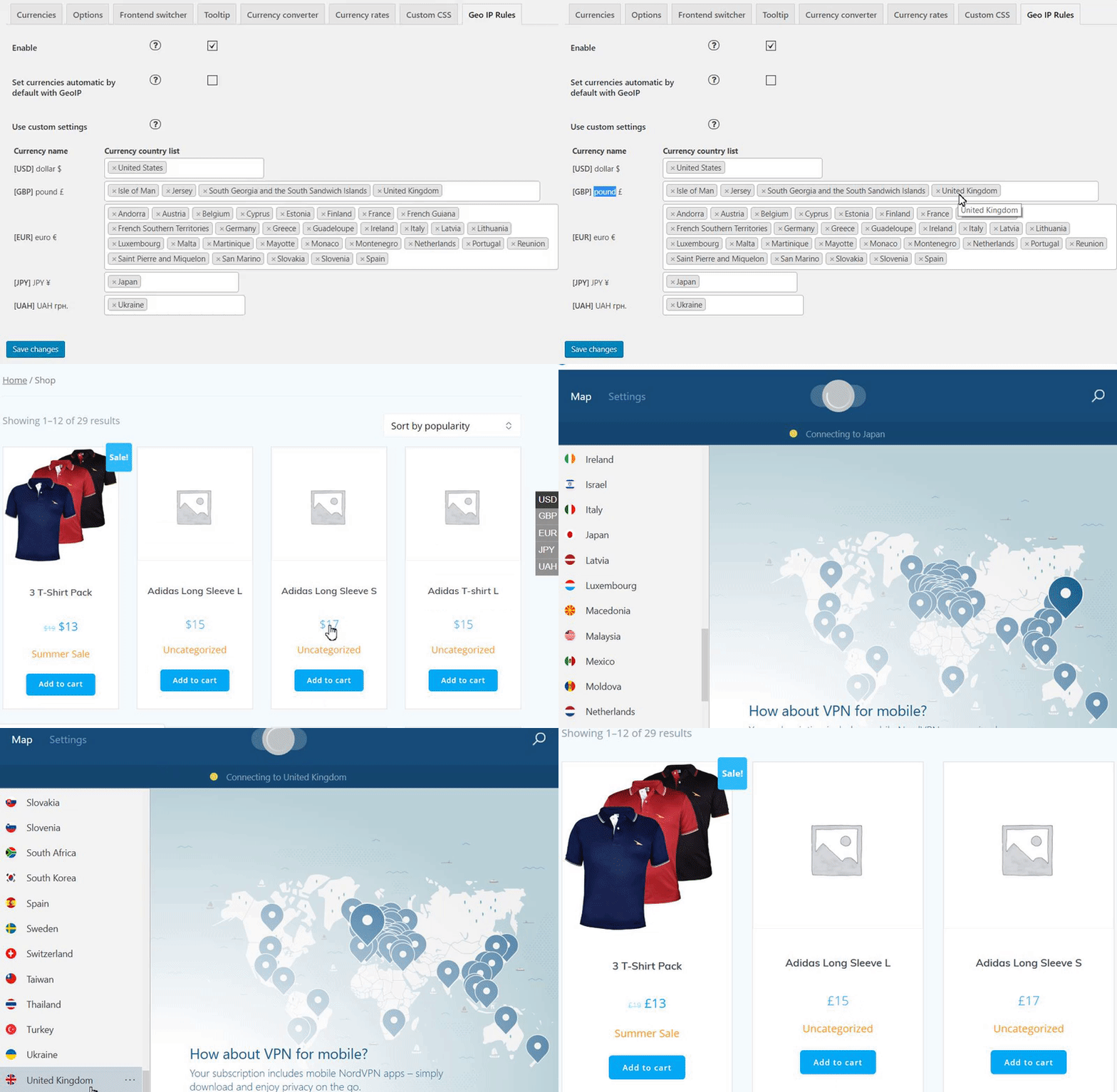
Using this feature, plugin recalculates prices follow the exchange rate value. Exchange rates can be updated manually or automatically (e.g. hourly) and always keep your product’s prices valid.