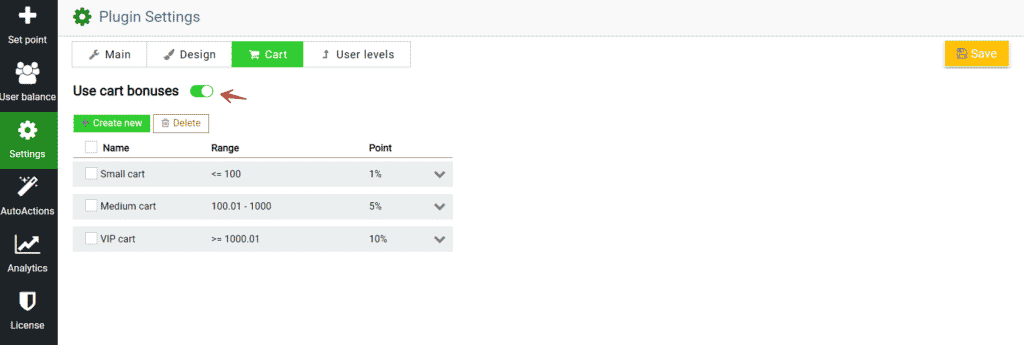
You can create an unlimited number of cart range levels for which the user can receive the specified number of points. This is very convenient, and most importantly, it can please your users and give them the final argument why they should choose your store.
To set cart ranges, go to Settings -> Cart and make the option use cart bonuses active.
Here you can create and control an unlimited number of cart conditions.
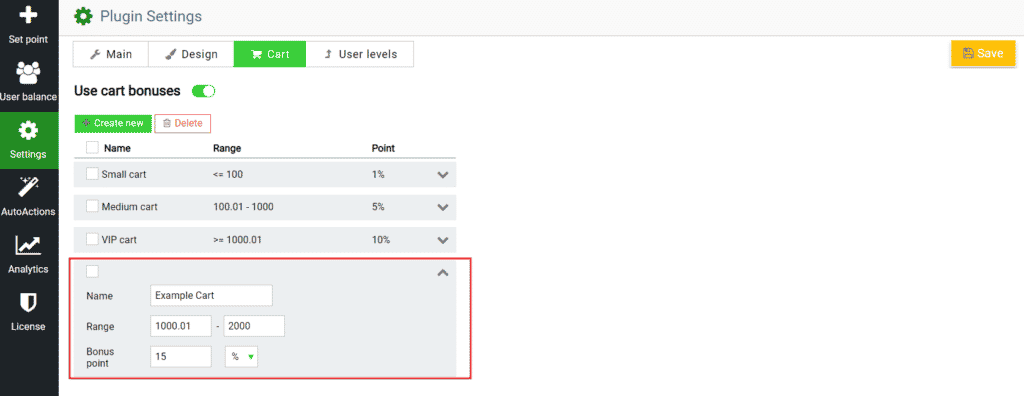
To create a shopping cart condition, click Create new.
After that, a new level will appear in the list. Let\’s go to it to set up the conditions.
Name. Let\’s start by calling this level cart.
Range. Next, enter the range that the shopping cart must have in order for the bonus to be activated.
Bonus points. Now enter the number of bonus points that the user will receive for paying for such a cart.
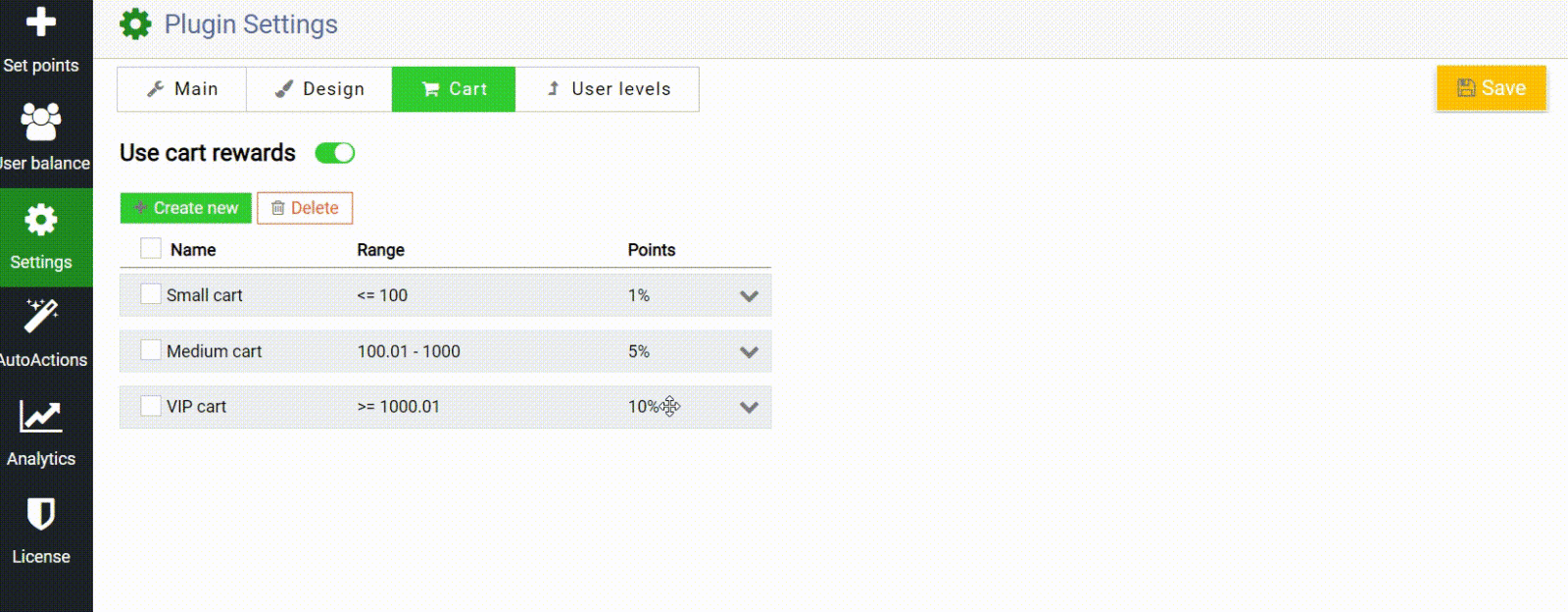
Priority by drag and drop. If the carts overlap in the ranges of different levels, then you can determine which value to use for such cases. The higher the level is located, the higher its priority, just drag the levels between them.
Delete Cart Level. To delete a level(s), just select the checkbox of the desired level(s) and click the Delete button.
Gamify the processes of the bonus system and make the store really interesting with WooBeWoo.
Check out our documentation to learn more about other WooBeWoo Reward Points for Woocommerce options.
Also, if you have any questions, please contact usand we will be happy to help you.
What should you do next?
Thanks for reading till the end. Here are 4 ways we can help you grow:
Want to learn more?
Explore our full collection of How-To guides to master every feature and functionality.