Rules page

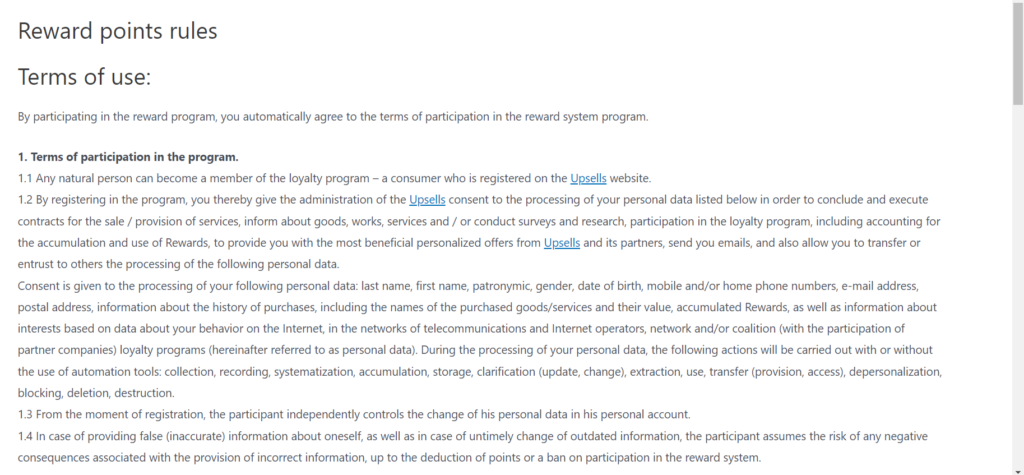
We care about our clients, so the rules will be generated automatically from the settings in the plugin. To do this, after installing and activating the plugin, the Bonus point rules page will be created. At any time, you can change them or restore them by default.
Rules
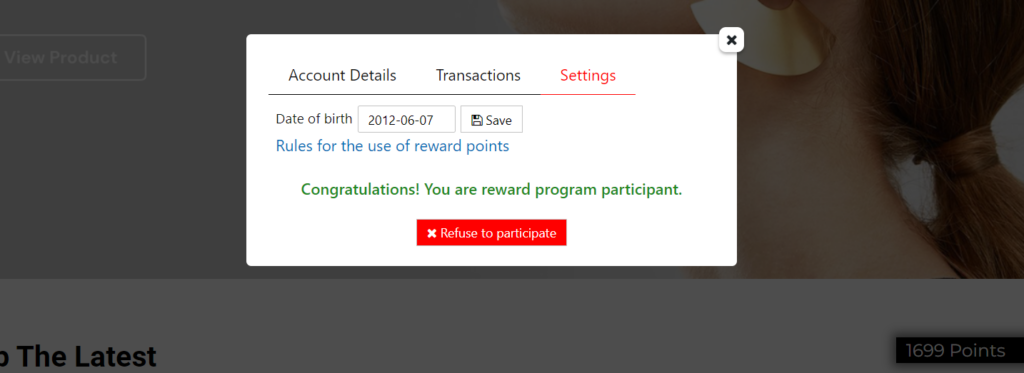
Users can see the link to the rules in the personal account of the balance widget -> settings. But you can also place this page wherever you like.
Woocommerce
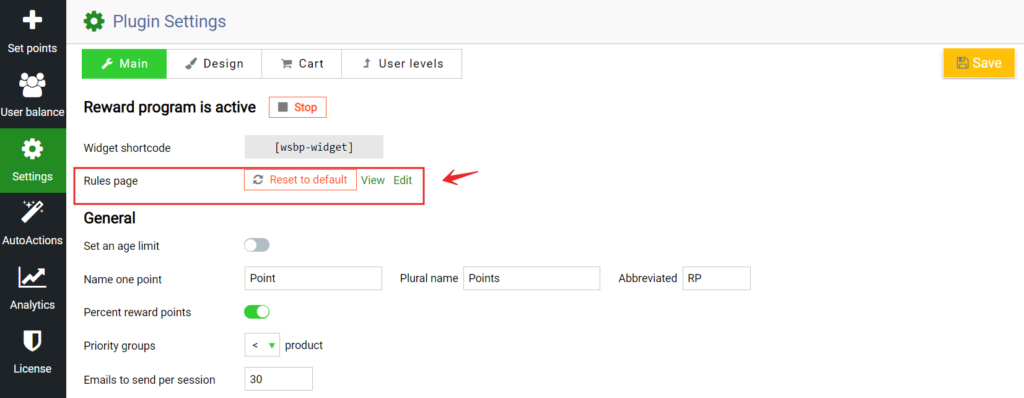
As soon as you install and activate the plugin, a rules page is automatically added to your site. The page is generated automatically from the plugin settings you specified. But you can edit it just like a normal WordPress page. To do this, go to settings -> rules page:
Auto
Here you can click View to view the page, and Edit to edit the page. If you have changed the page and want to return it to the default value, then click Reset to default. Check out our documentation to learn more about other WooBeWoo Reward Points for Woocommerce options. Also, if you have any questions, please contact us and we will be happy to help you.

What should you do next?

Thanks for reading till the end. Here are 4 ways we can help you grow:

Want to learn more?

Explore our full collection of How-To guides to master every feature and functionality.

Check out How-To Guides →

Looking to grow your store?

Browse our WooCommerce plugins to discover tools that can improve performance and boost your sales.

Browse WooCommerce Plugins →

Curious about related topics?

Visit our blog for more tutorials, expert insights, and the latest trends in e-commerce.

Visit Our Blog →

Still confused about this topic?

Submit your question or contact our support team directly. We are here to help!

Contact Support Team →

Latest Articles

Shopping Cart