The expiration date for points for promotion / manual accrual
As we said earlier, Reward Points for purchases and promotional points are independent of each other. And this tutorial will help you figure out how to set the validity period of points for promotions and manual accruals.
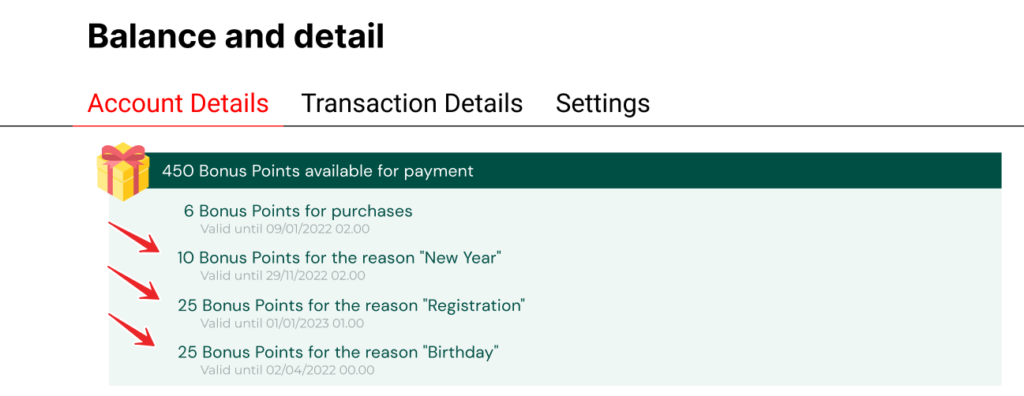
The user in the personal account of the bonus system (balance widget) will see the total count of all bonus points available for payment. But he can open this counter and see the details for each counter. Including counters of points for each promotion separately.
The expiration date for points for promotion / manual accrual
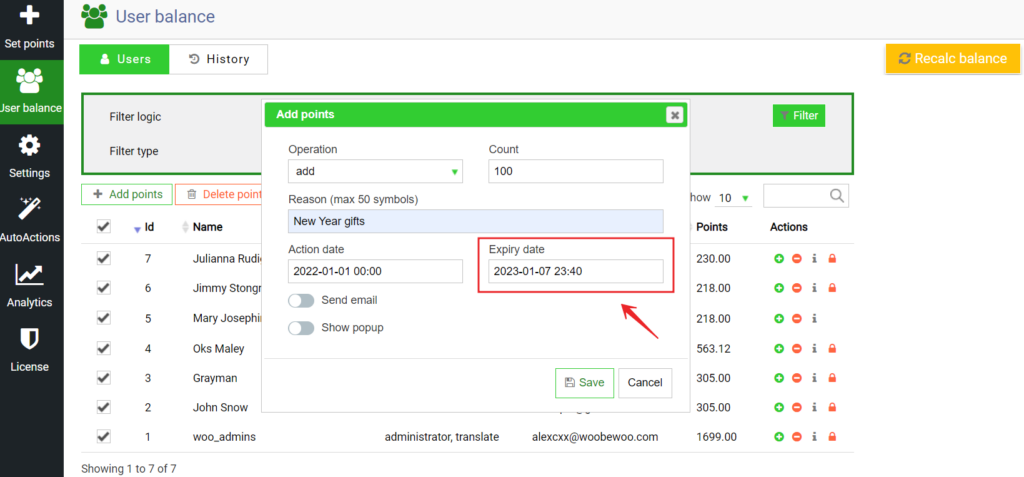
Regardless of whether you are making a one-time manual accrual or a deferred Marketing Company (accrual by triggers in the auto-actions section), when filling it out, you will see a field for setting the expiration date for the bonus points of this particular accrual. Just set the date of burning bonus points from accrual.
Here is an example where we give points for the new year, and set their expiration date = at 7 days.
Date format
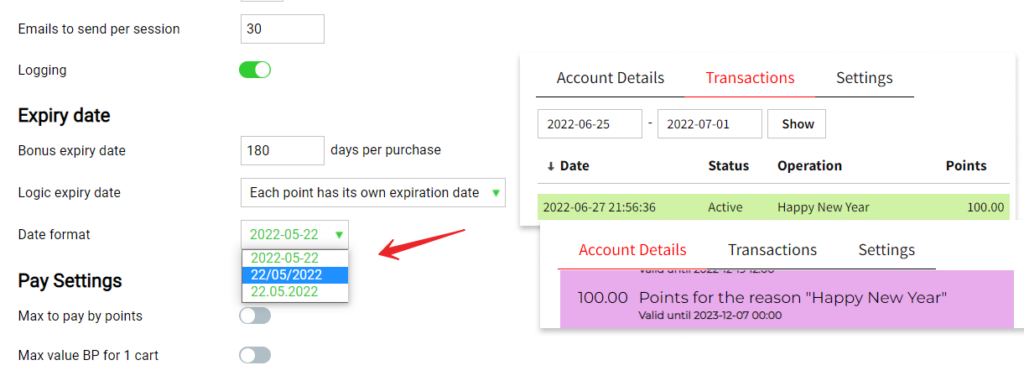
If you want to change the date display format, for this, in the same settings section, go a little and find the option Date format.
This option controls the date format in the entire bonus system interface on the front. For example, for a counter that is located in the user\’s balance widget and shows when the points expire, or to enter the user\’s age, etc. You can choose from the following date formats: yyyy-mm-dd; dd/mm/yy.
Check out our documentation to learn more about other WooBeWoo Reward Points for Woocommerce options.
Also, if you have any questions, please contact usand we will be happy to help you.
What should you do next?
Thanks for reading till the end. Here are 4 ways we can help you grow:
Want to learn more?
Explore our full collection of How-To guides to master every feature and functionality.