In the Settings -> Design tab, you can fully control the appearance of all elements of the bonus system on the front. Stylize the design of the bonus points widget and other elements of the bonus system on the front side with the ability to upload your own icons, change the color, font, etc.
Set up Widget Design
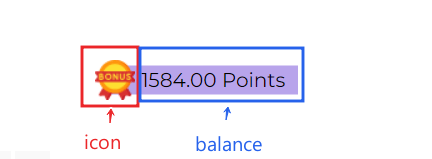
Balance Widget is a user balance widget that you can add anywhere in your store. By clicking on the widget, the user will be able to see his personal account of the bonus system.
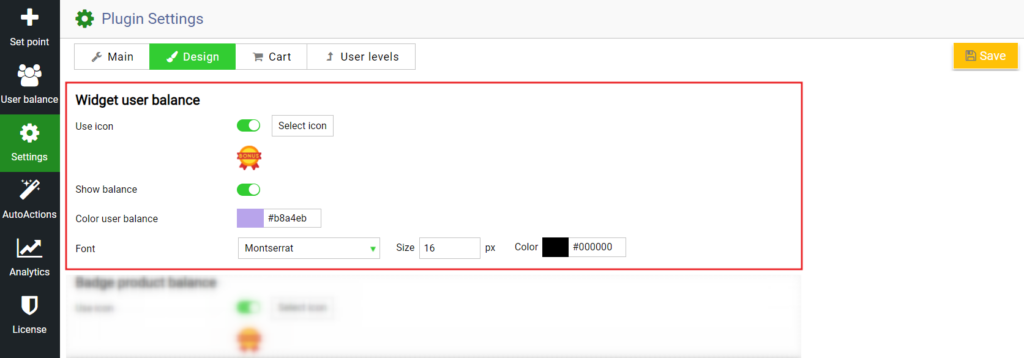
To configure it – go to Settings -> Design tab.
The following widget appearance settings are available to you:
Use icon. Upload your unique Bonus Points badge for the balance widget
Show balance. If the option is enabled, the balance will be displayed in the place specified by the shortcode.
Color user balance. Specify the background color for the balance widget.
Font. Set the font for the balance widget.
This way you can create stylish widgets that fit the design of your store.
Check out our documentation to learn more about other WooBeWoo Reward Points for Woocommerce options.
Also, if you have any questions, please contact usand we will be happy to help you.
What should you do next?
Thanks for reading till the end. Here are 4 ways we can help you grow:
Want to learn more?
Explore our full collection of How-To guides to master every feature and functionality.