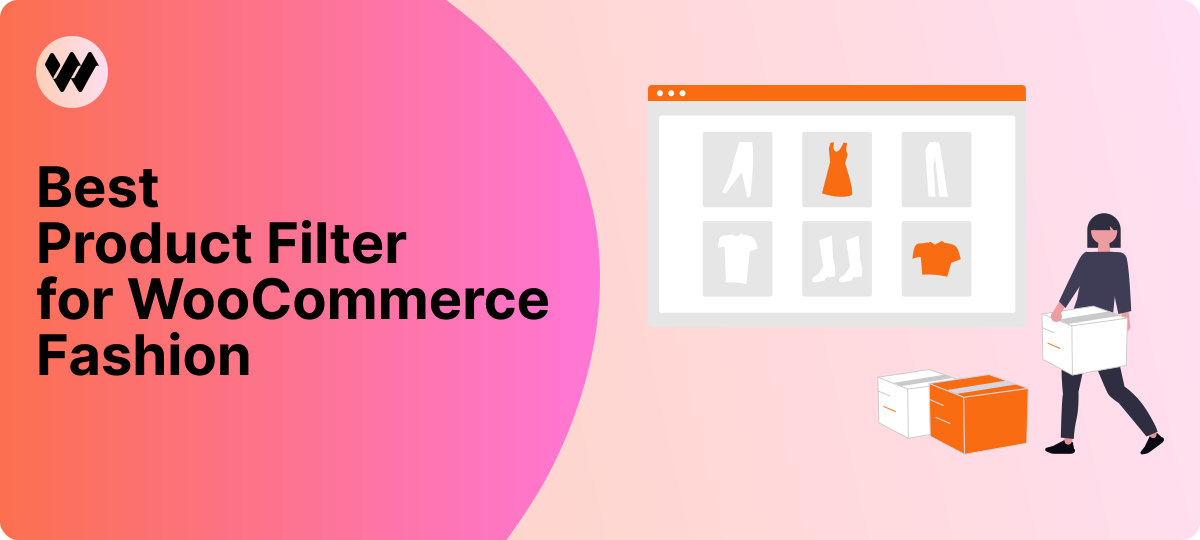


If you run a WooCommerce fashion store, you already know how quickly things can get messy. You might have the same shirt in six colors, five sizes, and two fits, and that’s just one item.
Shoppers want to find what they need fast, without scrolling through endless pages.
That’s exactly where a Product Filter for WooCommerce Fashion comes in.
If your store sells clothes, shoes, accessories, or anything with variations, this tool makes browsing feel natural and frustration-free.
It’s built to fit right into a fashion store’s layout, whether you sell casual wear, luxury pieces, or a mix of everything.
You’re in the right place, this is the filter made for shops like yours.
Meet the WoobeWoo Product Filter (Built for Clothing Stores)
The WoobeWoo Product Filter is designed for stores that deal with lots of sizes, colors, and styles, which makes it a perfect match for fashion shops.
Instead of making customers dig through every product, the filter helps them sort items the same way they would in a real clothing store, by size, color, fit, price, or any detail you offer.
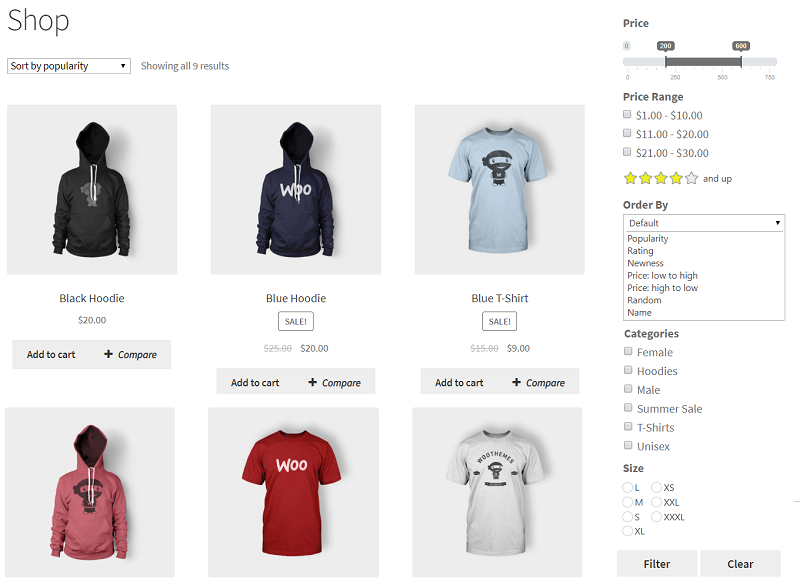
What makes this plugin stand out is how naturally it works with fashion catalogs.
If you sell shirts in multiple colors, dresses in different lengths, or shoes with various sizes, the filter brings all these options together in one clear, simple panel.
Shoppers can click what they want and immediately see what matches, no waiting, no page reloads.
And because it’s built as a woocommerce clothing filter, it understands the needs of apparel and accessories.
Perfect for modern clothing stores that want a simple way to guide shoppers to the items they’ll love.
Key Features That Matter in Fashion Stores
Fashion shoppers know exactly what they want, the right size, the right color, and the right style. The WoobeWoo Product Filter gives them all of that in a clean, simple way.
Here are the features that make it a great woocommerce clothing filter for any apparel shop:
- Size Filtering
Let shoppers pick their size (S, M, L, XL, etc.) without scrolling through items that won’t fit them.
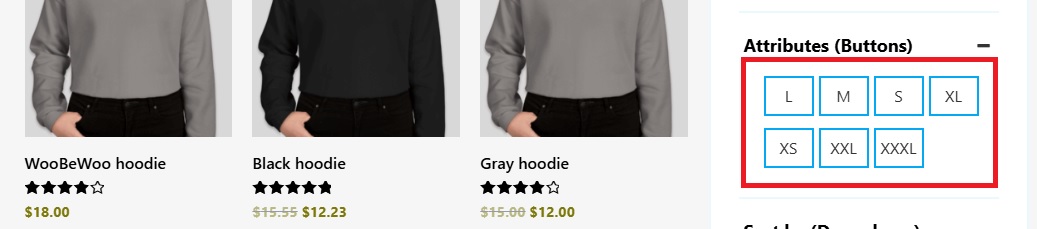
- Color Filtering
Show color options using swatches or labels so customers can instantly filter black jeans, red dresses, or any shade you sell.

- Style & Attribute Filters
Filter by fit, length, material, sleeve type, shoe width, or any custom attribute you use in your store. - Price Range Slider
A smooth slider lets visitors choose the price range they’re comfortable with, quick and simple.

- AJAX Filtering (No Page Reloads)
Results update instantly as shoppers click, this keeps the browsing fast and makes the clothing store product filter feel natural and easy to use. - Mobile-Friendly Filters
Many fashion shoppers browse on their phones, the filter looks clean and works smoothly on all screen sizes. - Custom Swatches & Icons
Perfect for stores that want to show real color chips, patterns, or fabric types, a must-have for an apparel product filter. - Fits Any Theme
Whether your website is minimal, bold, luxury-style, or streetwear-inspired, this fashion store plugin blends in without breaking your layout. - Sidebar, Top Bar, or Floating Panel
Place your filters wherever they work best for your customers, left side, top of the shop page, or even as a sticky panel.
These features help shoppers get to the items they want faster, improving their experience and giving your WooCommerce fashion store a clear, organized way to showcase your products.
How It Works? Simple Setup, Zero Overwhelm
Getting the WoobeWoo Product Filter ready for your fashion store is much easier than it looks.
You don’t need any technical background, just follow a few clear steps and you’ll have your filters running in minutes.
1. Get the Plugin
Start by visiting the Product Filter page on the WoobeWoo website and choosing the plan that fits your store.
Once you complete the purchase, you’ll find the PRO plugin file inside your WoobeWoo account.
2. Install the Free Version in WordPress
In your WordPress dashboard, go to Plugins → Add New, search for “WooBeWoo Product Filter” and install the free version, this step is required before adding the PRO version.
3. Upload the PRO Version
After installing the free version:
-
Go to Plugins → Add New → Upload Plugin
-
Select the ZIP file you downloaded from your account
-
Click Install Now, then Activate
4. Activate Your License
Inside the plugin’s menu, open the License tab.
Enter the email and license key you received after purchase, then click Activate.
This unlocks all PRO features, including the advanced filters clothing stores usually need.
5. Create Your First Filter
Now you can build your filter:
-
Go to the Product Filter menu
-
Click Add New Filter
-
Choose what you want shoppers to sort by size, color, price, material, or any attribute your fashion store uses
This is where your woocommerce clothing filter, clothing store product filter, and apparel product filter come to life.
6. Add the Filter to Your Shop Page
Once your filter is ready, you can place it where it works best:
-
In the sidebar
-
Above your product grid
-
Inside Elementor
-
Or using a shortcode
If you prefer seeing the step-by-step version with screenshots, you’ll find a full guide here:
How to add WooCommerce product filter to the shop?
This gives you everything you need to set up the filter smoothly and place it exactly where your customers expect it.
Download the Product Filter for WooCommerce Fashion
If your fashion store has plenty of sizes, colors, and styles, a good filter isn’t just helpful, it’s something your shoppers expect.
The WoobeWoo Product Filter gives you a clean, simple way to help people find the exact item they want without digging through endless pages.
You’ve already seen how it works and how easily it fits into a clothing store.
If you want a smoother shopping experience and a shop page that feels organized and easy to browse, this is the tool to get.
You can download the Product Filter for WooCommerce Fashion directly from WoobeWoo, set it up in a few minutes, and start helping your visitors reach the right products faster.
When your customers find what they want quickly, they stay longer, buy more, and enjoy shopping with you, and that alone makes this plugin worth adding to your store.