

Shopping for jewelry online can feel a bit like looking through a huge treasure box, exciting, but also a little overwhelming.
When there are rings, bracelets, necklaces, and accessories in different metals, colors, and styles, customers need a simple way to find what actually fits their taste.
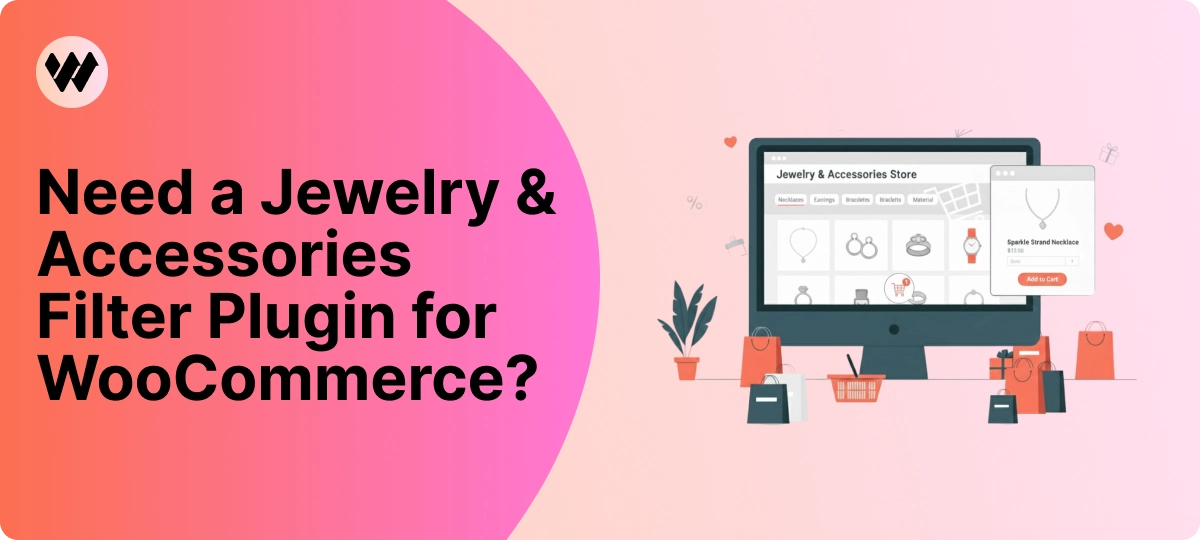
That’s why many stores look for a Jewelry & Accessories Filter Plugin for WooCommerce.
A good filter makes shopping smoother, faster, and a lot more comfortable for anyone visiting your store.
What Makes This Jewelry & Accessories Filter Plugin for WooCommerce Stand Out?
When someone shops for jewelry, they usually have something specific in mind, maybe a silver necklace, a gold ring, or earrings with a blue stone.
The problem is.. most online stores don’t make it easy to find those details quickly.
That’s exactly where the WoobeWoo Product Filter shines.
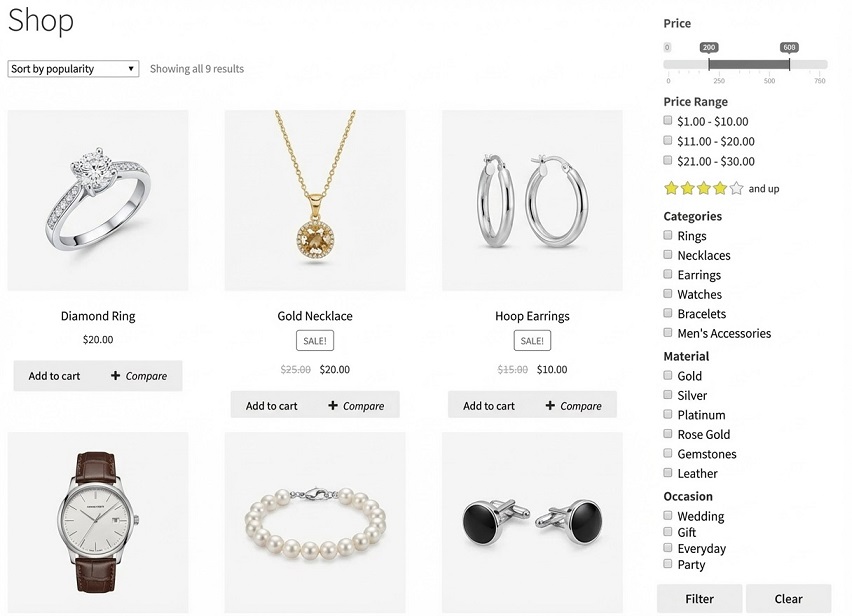
Instead of forcing people to scroll through items they don’t want, this filter helps them narrow things down in seconds.
If you want a Jewelry & Accessories Filter Plugin for WooCommerce that feels professional but stays easy to use, this one checks all the right boxes.
Filters Your Shoppers Will Actually Use (Because Details Matter in Jewelry)
Jewelry shopping is all about the small things, the metal, the stone, the color, the shape.
People don’t just look for a ring, they look for a gold ring with a round diamond or a silver necklace with a blue pendant.
That’s why a strong filtering system isn’t optional.. it’s essential👌
Here are the filters your shoppers will actually rely on, all powered by the WoobeWoo plugin:
-
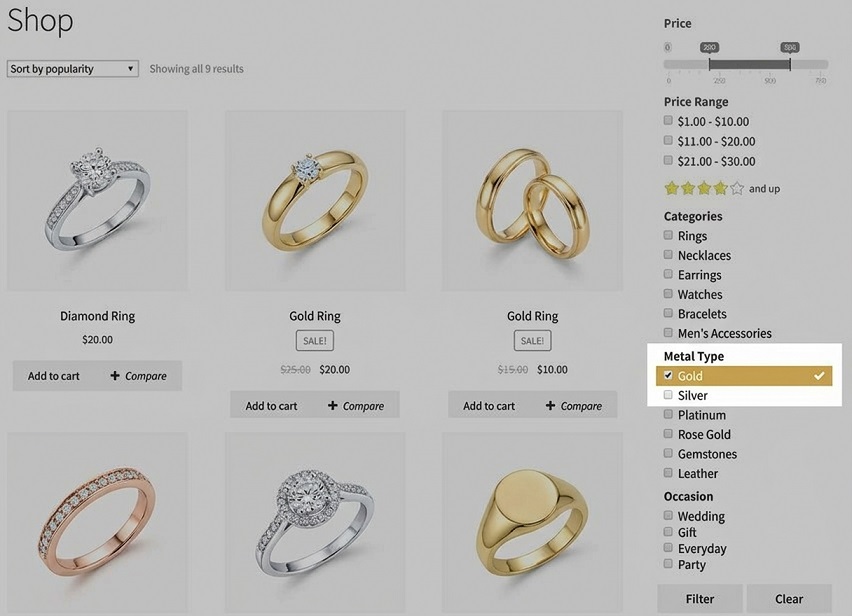
Metal Type (Gold, Silver, Rose Gold, etc.)
A must-have for any jewelry catalog filter. People usually start by choosing the metal they prefer.
-
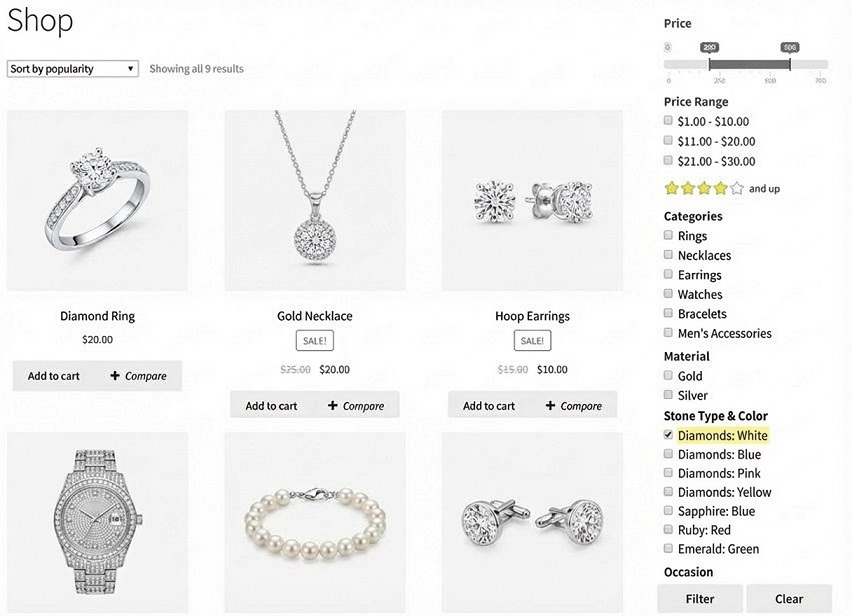
Stone Type & Color
Whether it’s diamond, sapphire, emerald, or just “something blue” this helps customers find exactly what matches their taste.
-
Style & Occasion
Minimal, vintage, bold, wedding, anniversary, this turns your filter into a true accessory store product filter because it understands why people are buying.
-
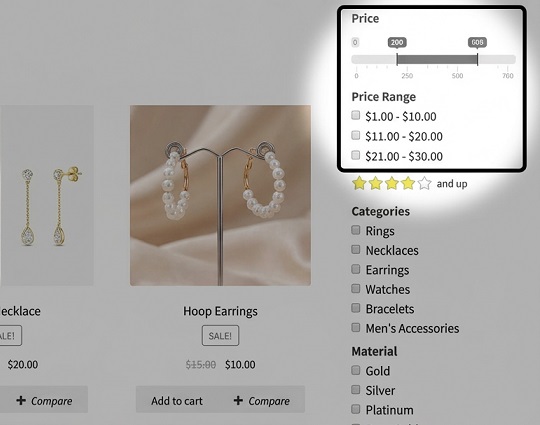
Price Slider
Simple and effective. Shoppers can quickly stay within their budget without clicking through dozens of pages.
-
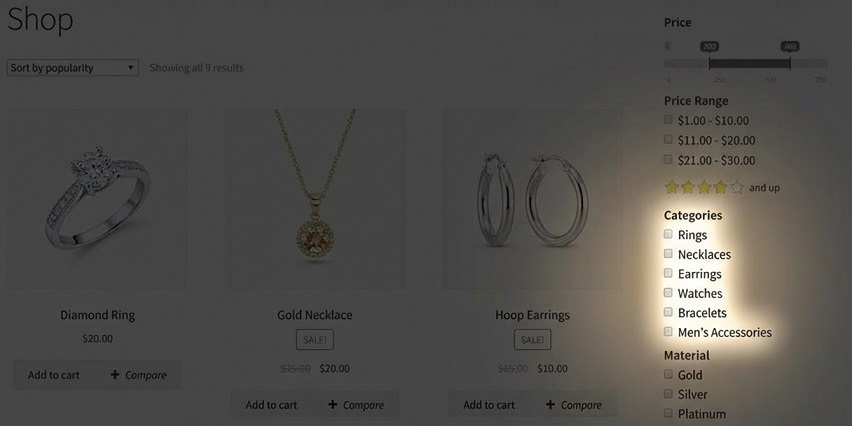
Product Type (Necklaces, Rings, Earrings, Bracelets)
One click takes them to the category they want, no confusion, no wasted time.
-
Material & Finish
Useful for accessories like watches, bangles, or metal bracelets.
Adds clarity to your woocommerce jewelry filter setup.
-
In-Stock Options
Shows only what’s currently available, avoiding disappointment.
These filters make your store feel organized and easy to use, which is exactly what jewelry shoppers expect.
Each option guides them closer to the piece they already imagine in their mind.
Your Filter Setup in Minutes
Setting up filters for your jewelry or accessories store doesn’t have to feel confusing.
Think of it like organizing a jewelry box, you’re just putting things where shoppers can find them fast.
Here’s how it works, step by step:
-
Visit the plugin page and get the WoobeWoo Product Filter
This is your starting point, once you add it to your store, you unlock all the filtering tools your customers will use. -
Install it inside your WordPress dashboard
Just upload the file, click “Install” then “Activate” it’s as simple as adding a new app on your phone. -
Create your first filter
Create the options you want, metal, stone, style, price, product type, and more. You control everything with easy buttons and dropdowns. -
Place the filter on your shop page
You can show it in the sidebar, above the products, or even inside a catalog layout, no coding needed, just choose the spot you like. -
Check how it looks to shoppers
Try it as if you’re a customer, make sure it feels smooth and helpful. Adjust anything you want in seconds.
And if you want a deeper guide with screenshots and examples, you’ll find a complete walkthrough here:
How to add WooCommerce product filter to the shop?
You don’t need technical skills, you just follow the steps, and your store becomes easier and faster for customers to shop.
Help Your Shoppers Find the Perfect Piece? Start Here.
That’s exactly what the WoobeWoo Jewelry & Accessories Filter Plugin for WooCommerce does.
It turns your store into a place where finding the right piece feels simple, quick, and enjoyable.

If you want clearer navigation, faster shopping, and happier customers, this is the tool to start with.
Download the plugin, set up your filters, and make your store easier to shop, starting today.
Frequently Asked Questions
1. How do I add filters to my WooCommerce jewelry store?
You can add filters by installing a filtering plugin like WoobeWoo WooCommerce Product Filter.
After activating it, create a filter (e.g: by metal, stone, color, or price) and add it to your shop or category pages using a shortcode or widget.
2. Can I let customers filter jewelry by metal type, stone, or style?
Yes, WoobeWoo allows filters for metal (gold, silver, platinum), gemstones (diamond, ruby, sapphire), style, color, and price.
These options are ideal for a jewelry catalog filter.
3. Does this plugin support image swatches for colors and stones?
Yes, you can show visual swatches so customers instantly recognize colors, stones, or finishes.
This is especially helpful for accessory store product filter layouts.
4. Will the filter slow down my WooCommerce store?
No, the plugin uses AJAX filtering, which updates results instantly without reloading the page, this keeps your site fast and smooth.
5. Can I use the plugin with large jewelry catalogs?
Absolutely, the plugin works well with both small and large catalogs and is widely used as a WooCommerce jewelry filter for stores with hundreds or thousands of products.
6. Is coding required to set up the filters?
No coding is needed, you create your filters through a simple dashboard and place them on your shop page using a widget or shortcode.
7. Can I customize how the filters look?
Yes, you can adjust colors, layouts, labels, dropdowns, checkboxes, and swatches to match your store’s branding.
8. Does the plugin work with all WooCommerce themes?
Yes, it’s compatible with all major WooCommerce themes.
If your theme follows WooCommerce standards, the filter will work smoothly.
9. Can customers combine multiple filters at once?
Yes, shoppers can filter by metal + stone + price + color all at the same time, making the shopping experience more accurate.
10. Is there documentation to help me set it up?
Yes, WoobeWoo offers step-by-step guides and support articles that walk you through creating and placing your filters.