


Furniture and home decor stores usually have big catalogs.
One sofa might come in three sizes, four colors, and different fabric options. Lamps, rugs, tables, shelves, everything has its own style, material, and shape.
Without a clear way to sort through all these choices, shoppers can get overwhelmed fast.
That’s where a WooCommerce Furniture Store Filter Plugin becomes important.
If your shop sells furniture, decor, or home accessories, this kind of filter makes browsing feel simple and organized.
It gives customers a smoother way to find the right items, whether they’re picking a sofa for their living room or a lamp for their bedroom.
Why This Filter Fits Furniture & Home Decor Shops?
The WoobeWoo Product Filter works especially well for furniture and home decor shops because these stores rely heavily on visual choices and specific preferences.
When someone is decorating a room, they don’t just look for “a table” They look for a round table, in a wood finish, that fits a certain space and matches the style of their home.
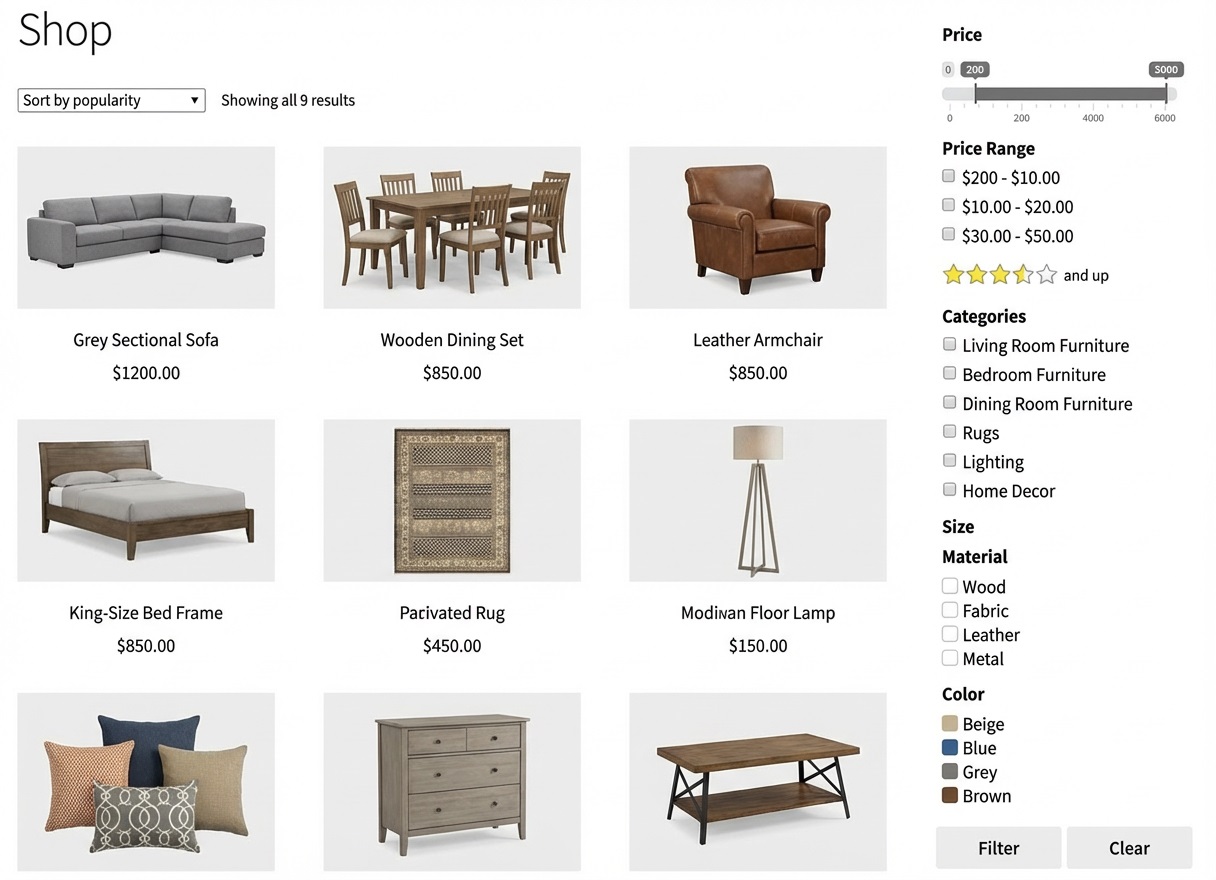
Because the filter adapts to the way people think about their homes, it becomes more than a search tool, it feels like part of the shopping process.
It even works smoothly as a home decor filter plugin, helping customers explore themes, room types, or matching pieces.
And for larger stores with many items, it acts as a reliable furniture catalog filter that keeps everything organized.
Tools Your Furniture Shoppers Will Actually Use
People shopping for furniture or decor usually have a picture in their mind of what they want.
Maybe it’s a sofa that fits a small living room, a lamp that matches warm tones, or a rug made from a certain material.
The WoobeWoo Product Filter gives them simple features to find those items without getting lost in a huge catalog.
Here are the features that matter most in real furniture and home decor stores:
-
Filter by Style
Modern, classic, rustic, minimalist, shoppers can quickly narrow the catalog to match the look they’re aiming for.
-
Filter by Size & Dimensions
Perfect for sofas, tables, shelves, and decor items. Customers can choose items that fit their room without guessing.
-
Filter by Material
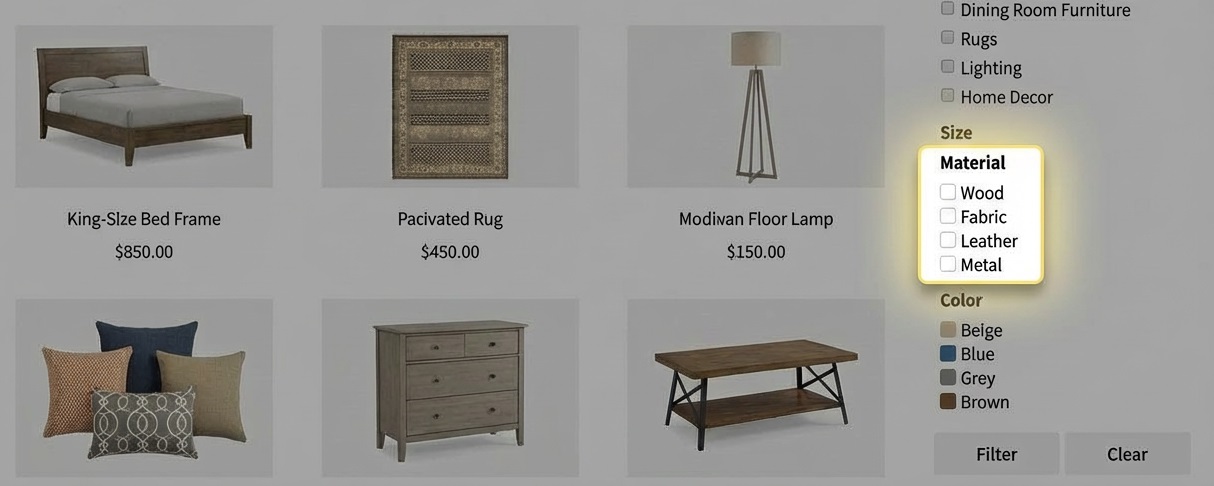
Wood, metal, fabric, glass, the filter makes it easy to explore items based on material preferences. This is where the home decor filter plugin shines.
-
Filter by Color
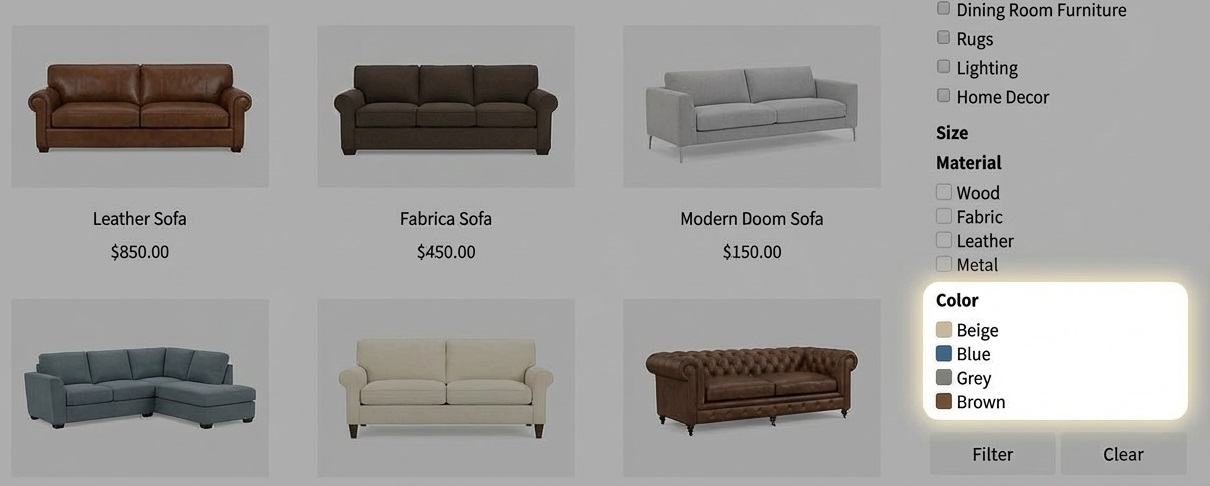
Neutral, bright, dark, warm, shoppers can instantly see pieces that match their home’s color palette.
-
Filter by Room Type
Living room, bedroom, dining room, office, this helps customers shop by space rather than searching item by item. A natural use of the decor store product filter.
-
Price Range Slider
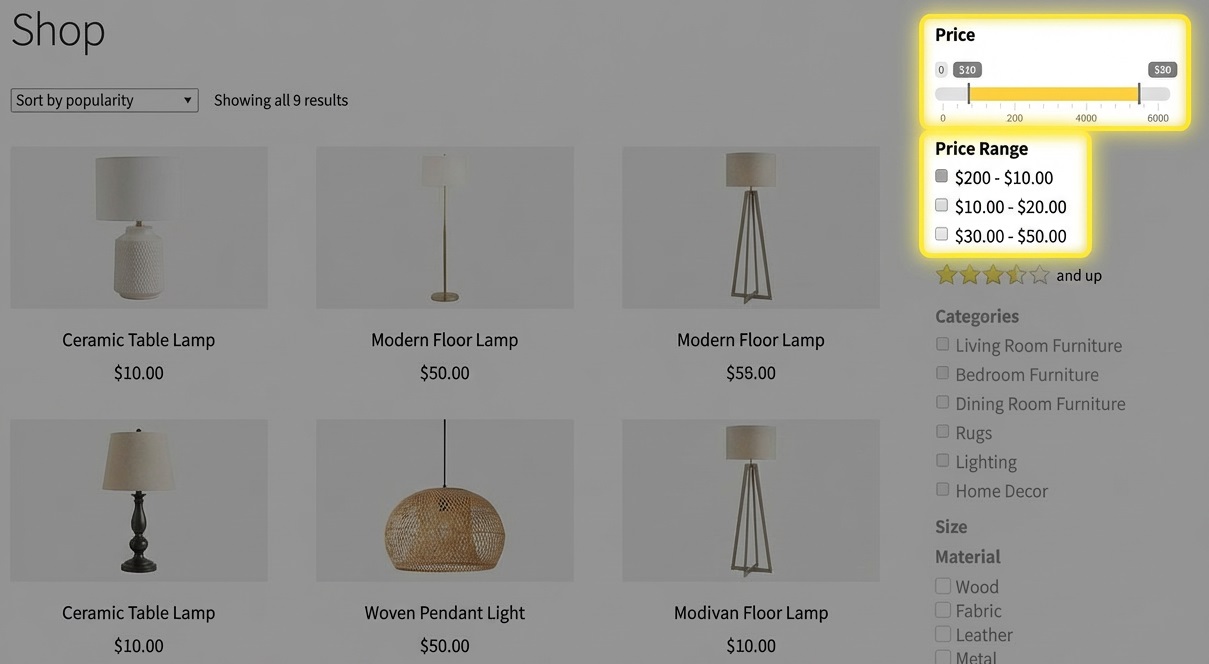
A simple slider lets visitors choose what fits their budget, keeping the browsing experience stress-free.
-
Instant Results (No Page Reloads)
The filter updates immediately, keeping shopping smooth even with a large catalog, a core benefit of using a strong furniture catalog filter.
These tools make browsing your furniture store feel simple and familiar, helping customers find items that match their home without extra effort.
Getting Started: From Download to Live Filters
Setting up the WoobeWoo Product Filter for your furniture store doesn’t require any special skills.
The steps are simple, and you’ll see your filters working on your shop page in just a few minutes.
1. Get the Plugin
Start by visiting the WoobeWoo Product Filter page and choosing the plan that fits your store. Once you get the plugin, the PRO file will be available in your account for download.
2. Upload the PRO Version
Next:
-
Go to Plugins → Add New → Upload Plugin
-
Choose the ZIP file you downloaded
-
Click Install Now, then Activate
3. Activate Your License
Inside the plugin menu, open the License tab.
Enter your email and license key, then click Activate.
This unlocks all the features your furniture store needs.
4. Build Your First Furniture Filter
Now the fun part:
-
Click Add New Filter
-
Choose the options that matter for your catalog, style, size, material, color, room type, or anything else
-
Save your filter once you’re happy with it
Your setup is now almost ready for your shoppers.
5. Add the Filter to Your Shop Page
You can place your filter:
-
In the sidebar
-
Above your product grid
-
Inside Elementor
-
Or using a shortcode
Choose the spot that makes the most sense for your store’s layout.
If you want a full walkthrough with screenshots and examples, you’ll find everything in the guide:
How to add WooCommerce product filter to the shop?
Start Using the WooCommerce Furniture Store Filter Plugin Today
If you want your WooCommerce store to feel easier to explore, especially when you offer different sizes, materials, or styles, this filter is one of the simplest improvements you can make.
It guides customers to the right products faster, which often leads to more sales and a smoother shopping experience overall.

You can start using the WooCommerce Furniture Store Filter Plugin today by downloading it from WoobeWoo and adding it to your shop.
Once it’s set up, your visitors will be able to sort and find items with just a few clicks.
It’s a small change that makes your entire furniture store feel more welcoming and easier to shop.
Frequently Asked Questions
1. Can the filter handle large furniture catalogs with many variations?
Yes, the WoobeWoo Product Filter is built to work smoothly with big catalogs.
Even if you have hundreds of items with different sizes, colors, and materials, filters load quickly using AJAX.
2. Can customers filter by furniture style, color, material, or room type?
Absolutely, you can create filters for any attribute in your WooCommerce store, including style (modern, rustic), material (wood, metal), color, size, and room type.
3. Does the filter work with home decor items too?
Yes, the plugin works perfectly as a home decor filter plugin and supports things like lamps, rugs, wall art, shelves, and accessories.
4. Will the filter work with my WooCommerce theme or Elementor layout?
Yes, it is compatible with most WooCommerce themes and integrates well with Elementor, Gutenberg, and other page builders.
5. Does the filter slow down my website?
No, filtering uses AJAX, which updates results instantly without reloading the page, keeping your shop fast and easy to browse.
6. Can I customize how the filter looks?
Yes, you can adjust layout, colors, filter types, icons, and placements to match your store’s design and branding.
7. Is it difficult to set up filters for furniture attributes?
Not at all, you can add and organize filters directly from your WordPress dashboard, no coding is required.
8. Can the filter appear on category pages, not just the main shop page?
Yes, you can show it on the shop page, category pages, or any custom product listing page.
9. Does the plugin support price range sliders?
Yes, the price slider lets customers choose a budget range, which is especially helpful for furniture and decor purchases.
10. Is there documentation to help me set everything up?
Yes, WoobeWoo provides clear guides, including step-by-step instructions for installing, activating, and adding filters to your pages. View the documentation page here.