
Designing modern interfaces is more than just static screens; these are design skills combined with programming skills.
But thanks to the WooCommerce Product Filter, you can create and customize the interface of your site without any special coding knowledge.
Overlay in WooCommerce Product Filter is a stylish custom transition between the beginning and the result of filtering.
Overlays as well as the loader will help smooth out negative expectations. If the application offers the user something interesting during the download, this allows you to distract him from the fact of expectation.
Enable and Setting Overlay
You can add this to your filter and fully customize and improve.
To Enable Overlay option, move to the Loader Tab and enable a checkbox :
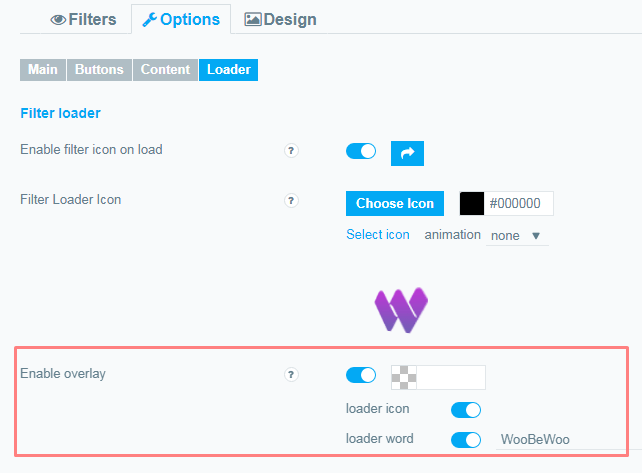
Show Loader Icon on overlay. If you wish, you can enable the filter icon during the filtering process.
Show loading word on overlay and Set loading word for overlay :
Here you may select overlay word for filter. This is a very cool option that allows you to both smooth out waiting for users to download and additionally show the label of your store. (or any other word)
Customizable Loader Icon
Loader icon is a loading indicator that helps the user understand the loading position at any given time, especially when the system is working on a task.Users want to have control over the system they use.
The progress indicator of the task is one of the most popular forms of providing system status for the user.
This option works well with the overlay, read this article about the loader to learn more
Give your store the most unusual and effective interface with WooBeWoo
Still have questions? Contact us and we will be happy to help you.