
Create and customize filters for your online store using the free WooCommerce Product Filter WordPress plugin.
This is an ideal way to make the purchase process really simple and enjoyable for users of your site without any special coding knowledge.
This tutorial will help you customize the On sale filter elements .
Add Filter On Sale
Thanks to this filter, your users can choose to find the On sale products .
To add a filter, select Featured from the drop-down list and click Add.
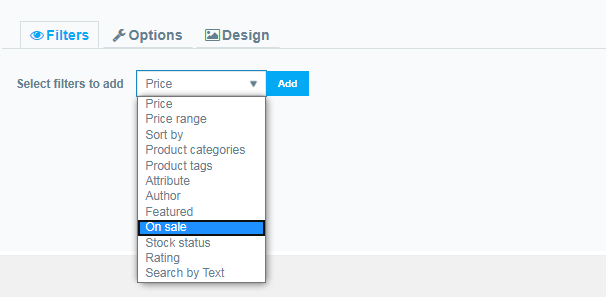
Once you have added this filter, you can fully configure it:
On Sale Filter Settings
- Here you can enter your Title Lable text
- If you wish, you can enter the filter Description text (optional)
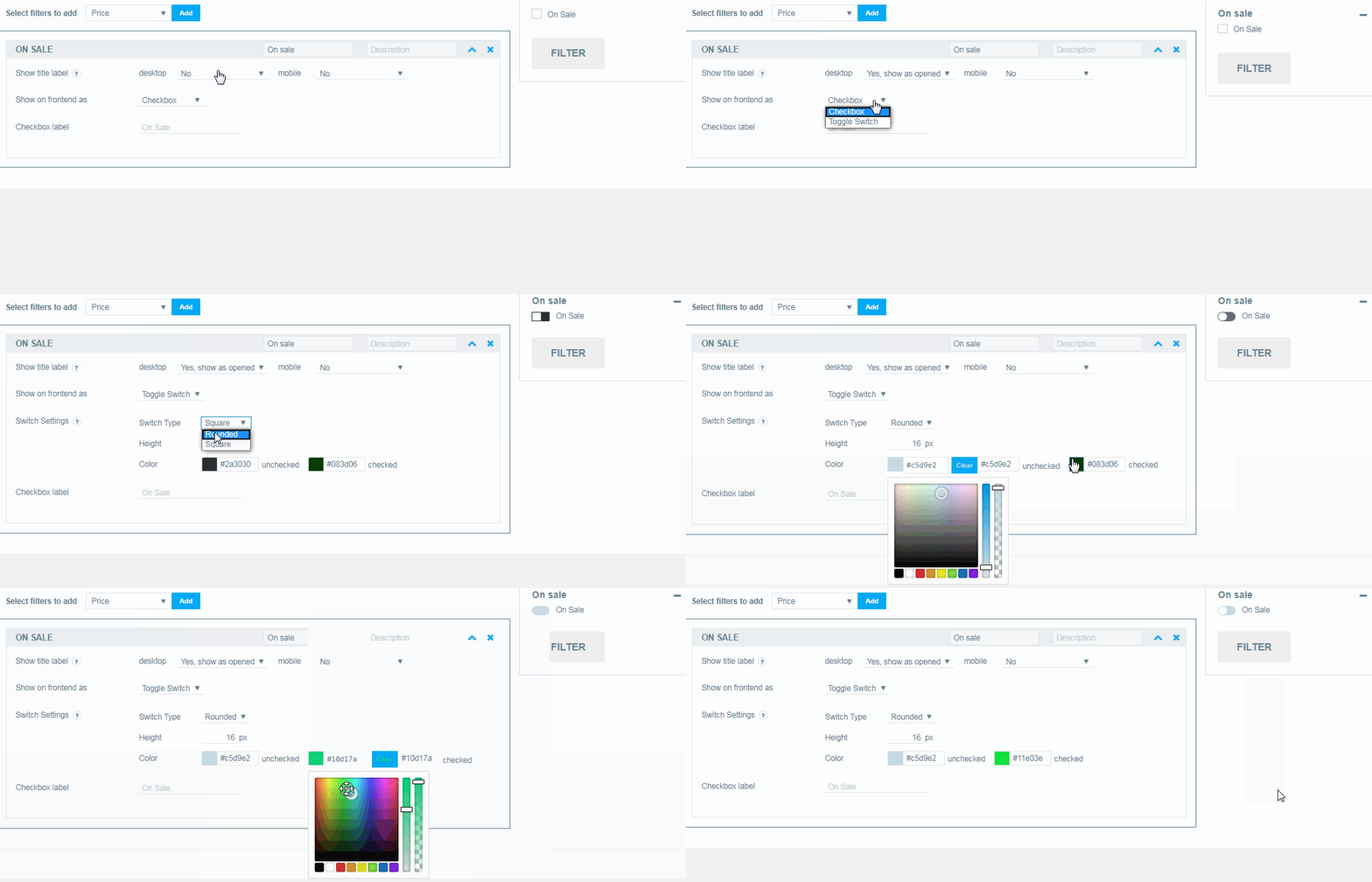
- Show title label. Here you can choose how to show the title with the function of opening / closing the filter:
- desktop (No; Yes, show as close; Yes show as opened)
- mobile (No; Yes, show as close; Yes show as opened)
- Show fronted as:
- checkbox
- toggle switch
- Switch settings . If you select toggle switch ,the following settings will be available to you:
- Switch Type. Rounded/Square
- Height
- Color
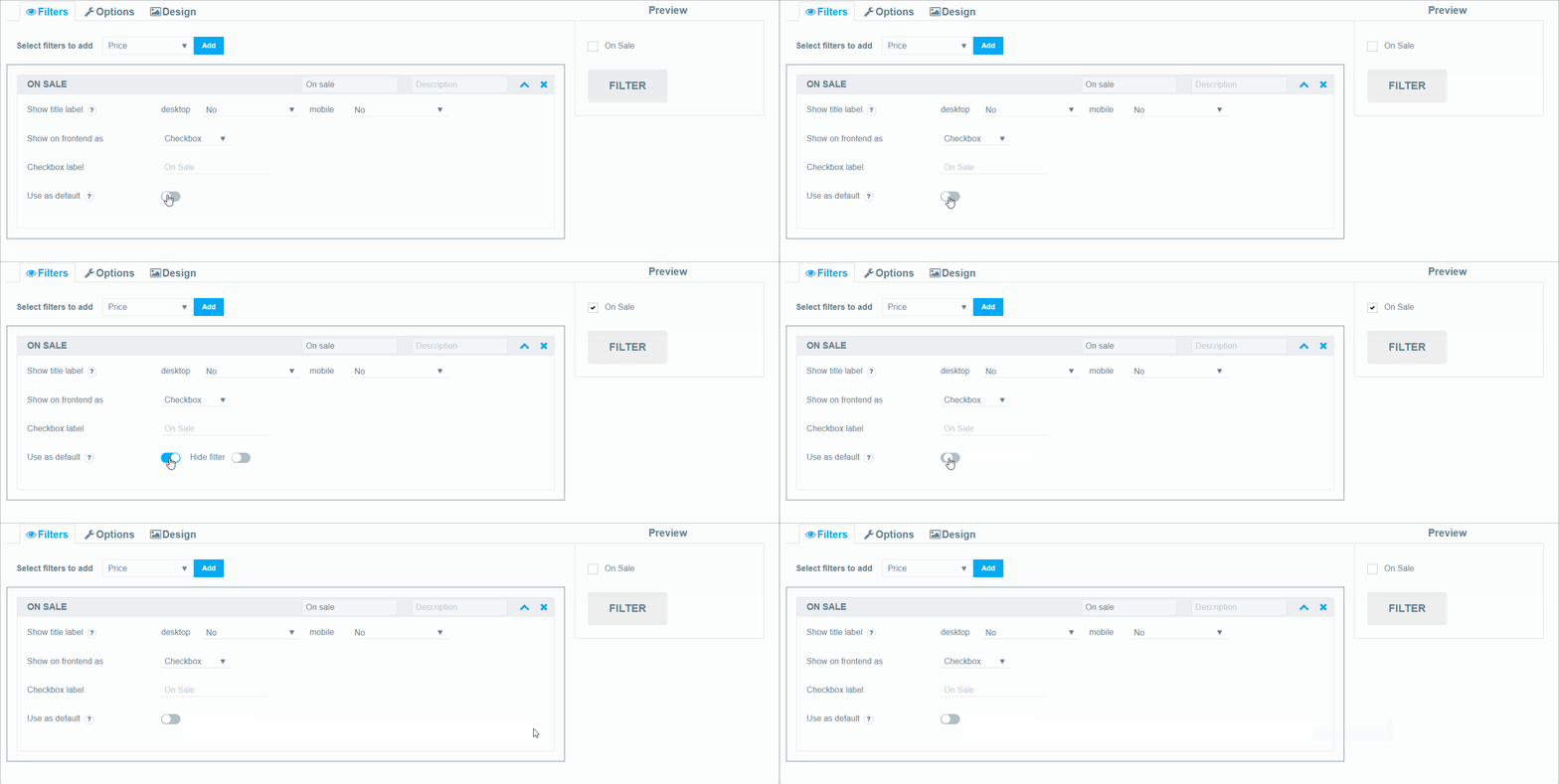
- Use as default. Select On Sale status as default. Check the Hide filter option to hide the filter.
Still have questions? Read our detailed documentation or Contact us and we will be happy to help you