
WooCommerce Product Filter has very flexible Design settings that you can easily customize to suit the style and functionality of your store. For ease of use, the “Design” settings tab is logically divided into 4 tabs. This tutorial will help you understand the options on the General tab.
Filter Width
Here you can set the filter width in pixels or percentage. By default, the width is 100% new; you can change it if you wish in % or pixels.

This parameter sets the maximum width of the Filter.But the rest of the contents of the Filter also affects its width – check how it looks in preview mode.
Filter Block Width
Here you can set the filter block width in pixels or percentage. By default, the width is 100% new; you can change it if you wish in % or pixels.
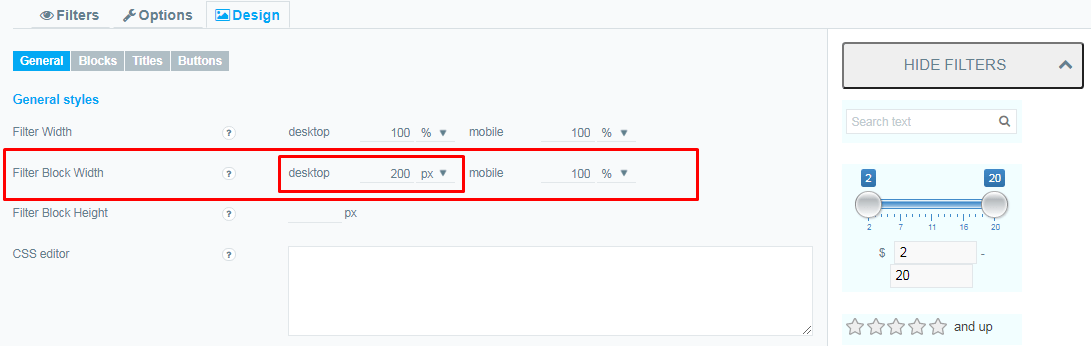
This parameter sets the maximum width of the Block Filter.But the rest of the contents of the Block Filter also affects its width – check how it looks in preview mode.
Filter Block Height
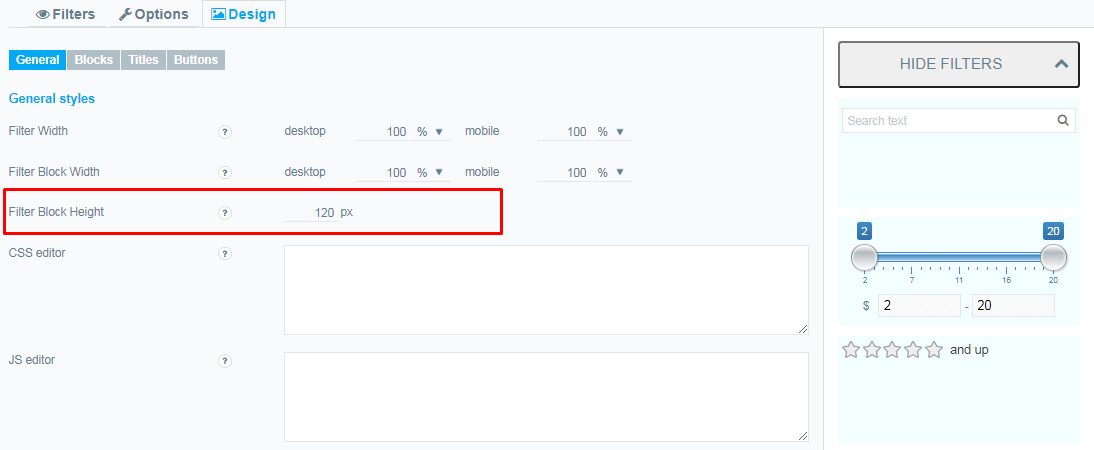
Here you can set the height in pixels. If not filled, then the height is calculated automatically based on the content of the filter. Please note that if the value of the Maximum height in frontend of the filter is greater than the specified value, some data may be hidden
CSS editor
CSS editor is a tool for simple editing of CSS code. Read this article to find out How to Configure CSS for Product Filter?

JS editor
JavaScript Editor – write and run your javascript code online, see result in live view or in editor console

Use theme styles
Disable the use of custom plugin styles for filter elements. This option does not work in admin preview.
Check out our documentation to learn more about other WooCommerce Product Filter options.
Also, if you have any questions, please contact us and we will be happy to help you.