
WooCommerce Product Filter. This is an ideal way to make the purchase process really simple and enjoyable for users of your site without any special coding knowledge.
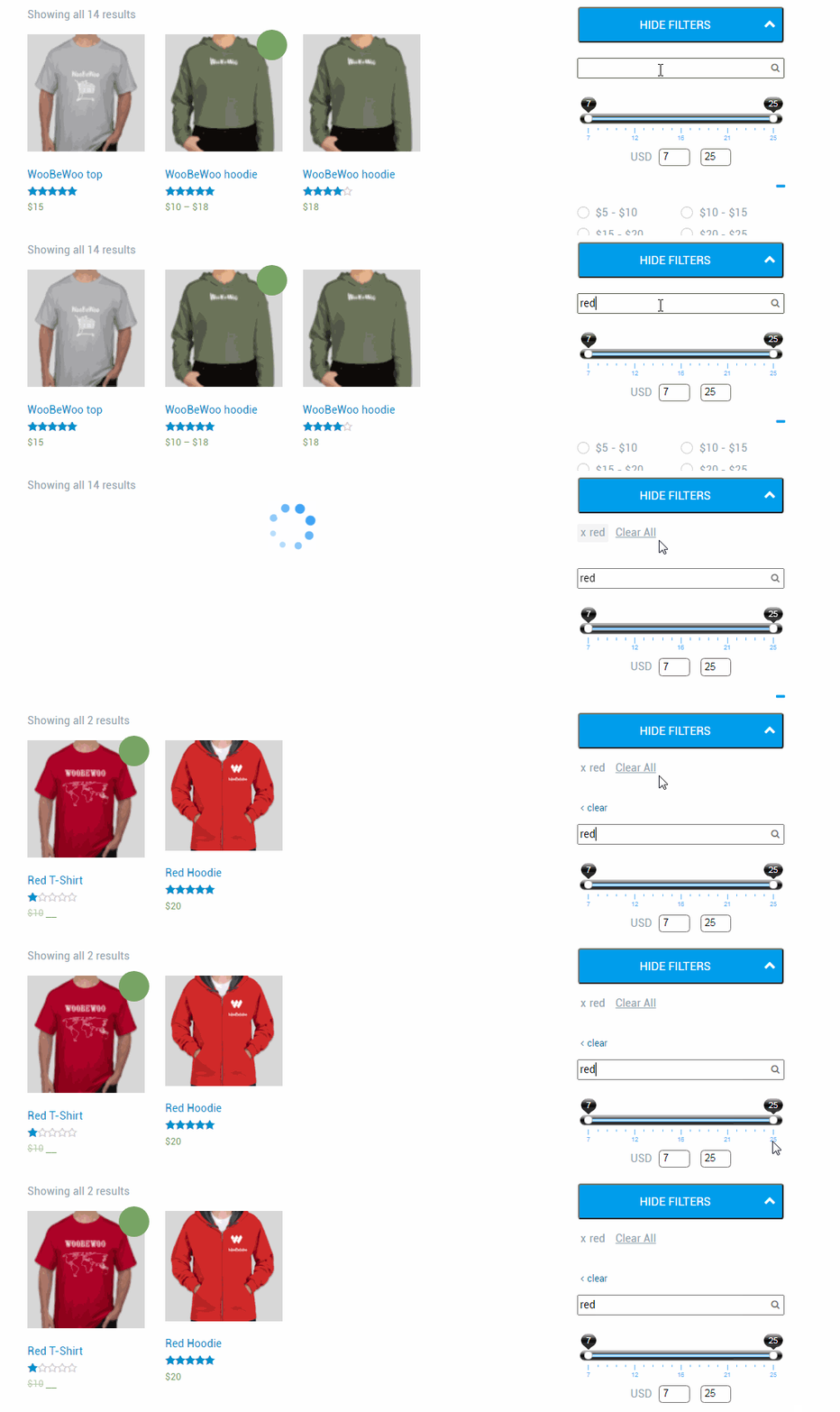
In Product Filter, you can use text search as one way to filter.
Search by Text Settings
You can fully customize the Search to Text status to your individual style(see the change immediately in the preview):
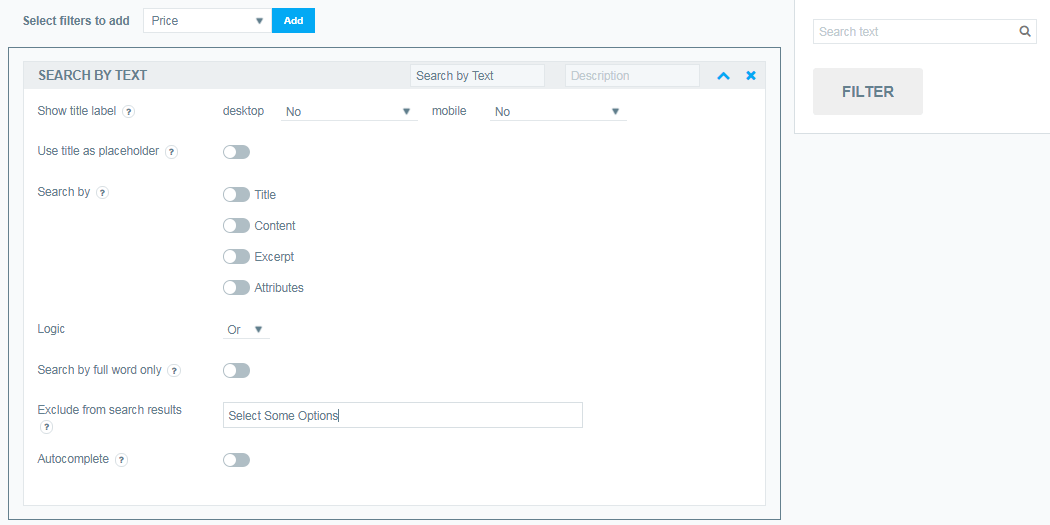
- Here you can enter your Title Lable text, by default Price
- If you wish, you can enter the filter Description text (optional)
- Show title label. Here you can choose how to show the title with the function of opening / closing the filter:
- desktop (No; Yes, show as close; Yes show as opened)
- mobile (No; Yes, show as close; Yes show as opened)
- Use title as placeholder. You can set filter title as search input placeholder.
- Search by .Here you can choose searching params (for ex.Title;Content;Excerpt;Attributes;SKU and Meta Fields)
- Select the search Logic and or or
- Search by Full Word Only. Include if you want the search to work only with fully written words.
- Exclude from search results. Exclude from search results selected items or items with selected taxonomies.
- Disable auto filtering when focus out. You can disable filtering products if focus on search input
Autocomplete. Autocomplete relevant variants. Works only when searching by title
Still have questions? Contact us and we will be happy to help you