Introduction

WooCommerce Filter Documentation

Filter by Length, Width, Height and Weight

WooBeWoo Product Filter for WooCommerce can filter by absolutely all product fields. And despite the fact that the Length, Width, and Height fields are not presented as separate filters by default, you can easily include filtering blocks by these parameters in your filter. And this tutorial will help you enable and configure filters on the fields Length, Width, Height, and Weight

width=1295

How to add filter by Length/Width/Height/ Weight?

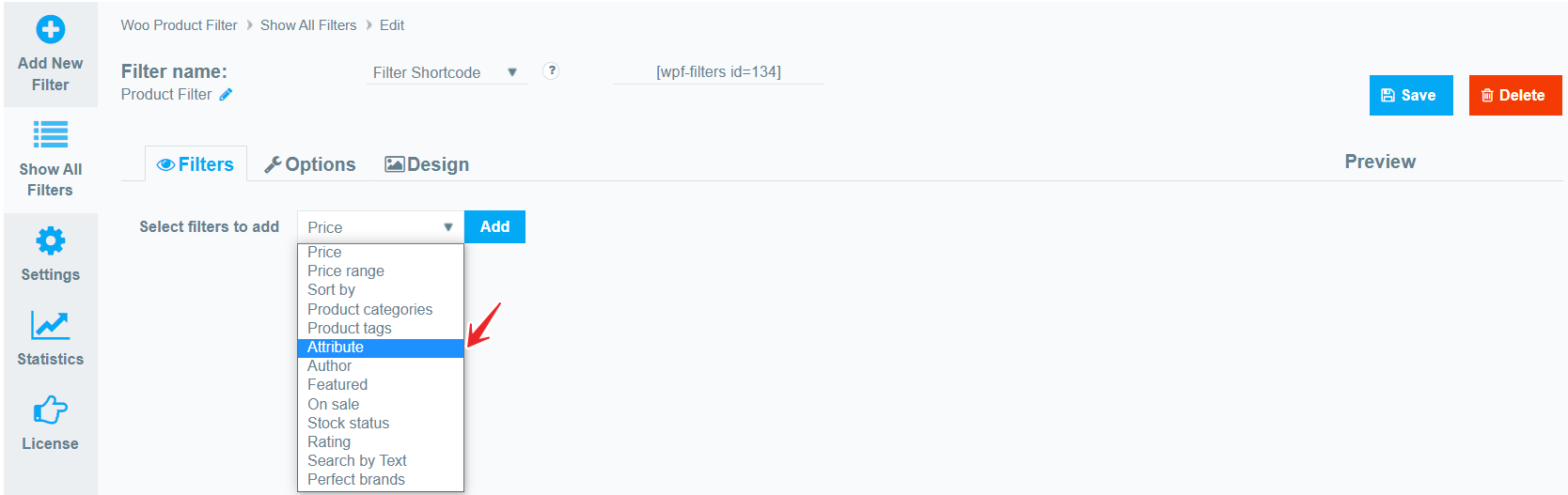
This filter type is added using an attribute filter. To do this, in the Filters tab in the Select filters to add field, select attribute and click Add.
width=1668

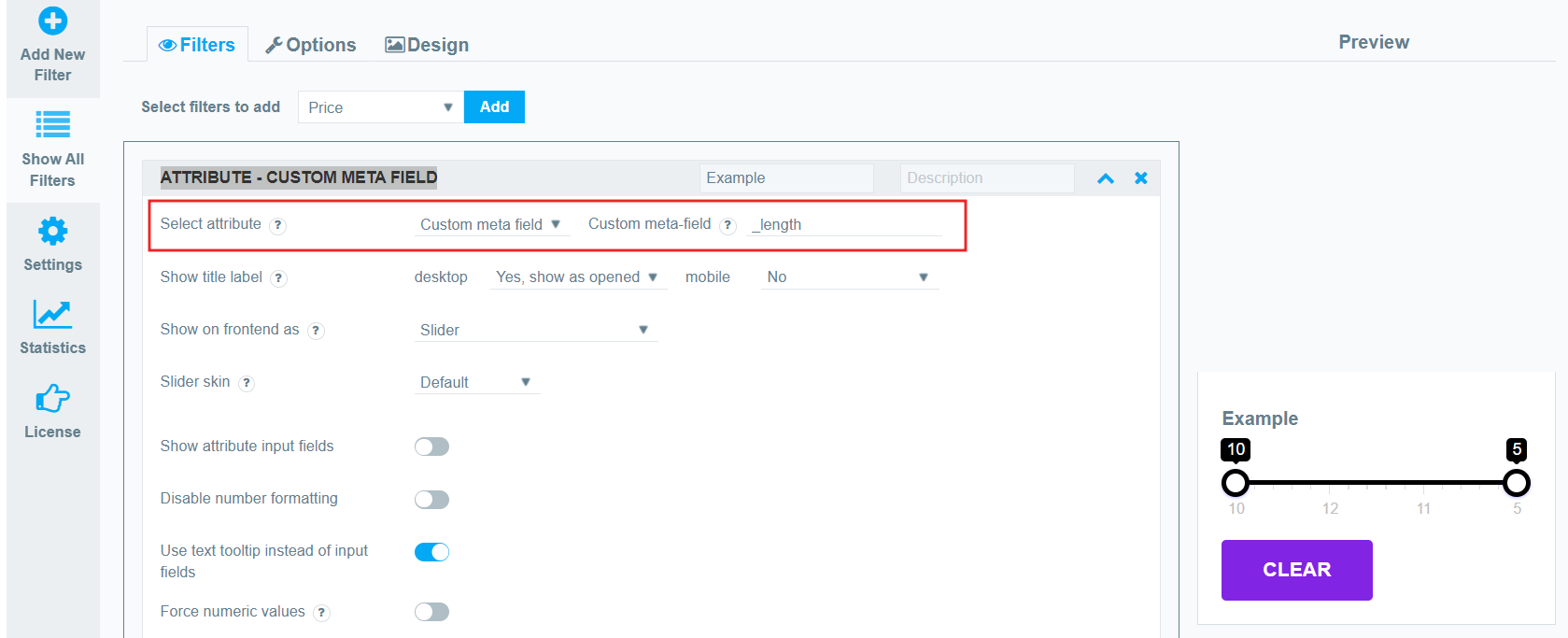
Now in the Select attribute field, you must select the Custom meta field as an attribute.  And now in the custom meta field input field, enter the desired parameter. For example:

  • _length
  • _width
  • _height
  • _weight

width=1679

This way you can add an unlimited number of attribute filters. After the filter is added, you can configure it like any attribute filter.

What should you do next?

Thanks for reading till the end. Here are 4 ways we can help you grow:

Want to learn more?

Explore our full collection of How-To guides to master every feature and functionality.

Check out How-To Guides →

Looking to grow your store?

Browse our WooCommerce plugins to discover tools that can improve performance and boost your sales.

Browse WooCommerce Plugins →

Curious about related topics?

Visit our blog for more tutorials, expert insights, and the latest trends in e-commerce.

Visit Our Blog →

Still confused about this topic?

Submit your question or contact our support team directly. We are here to help!

Contact Support Team →

Latest Articles

Plugin Quick Guide

Welcome to the Reward Points plugin by WooBeWoo! Thank you for choosing our WooCommerce loyalty...

Shopping Cart