
Once you\’ve created your product filter, it\’s time to add it to your store.
After creating a filter, you can add a filter in two ways:
using shortcode and PHP code (you can find them in the settings tab) or add the Woo Product Filter widget.
How to add Product Filter to the Store?
- Enter shortcode /PHP
Copy Shortcode under the main tabs and paste it to the website content. Product Filter plugin will display the filter on appropriate post/page using settings tuned in this filter.
Filter PHP code can be inserted at any place of the page code – to display exactly in this place, for example in the header or footer of the page.

Widget. If you are using a product filter on the sidebar of your store, you can also enable the product filter widget.
Did you know that WordPress sidebar and footer can enhance the functionality of your site?
You can add additional information to both parts using WordPress widgets. In this article, we will learn about the capabilities of a widget to help readers navigate your page. We\’ll also take a look at how you can add and customize widgets to suit your needs.
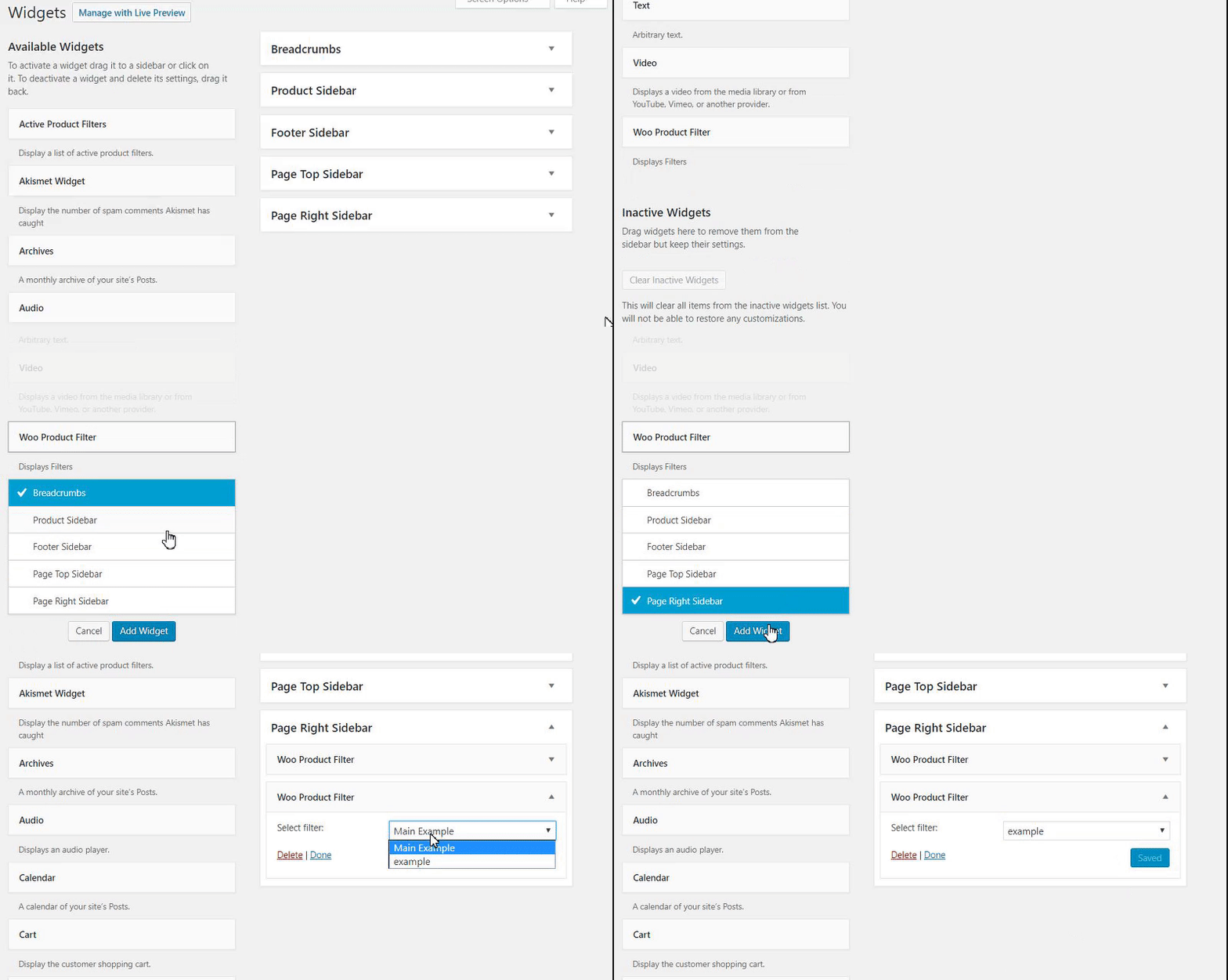
Now, your store will be more efficient, product searches will be more intuitive, and conversion will begin to grow.
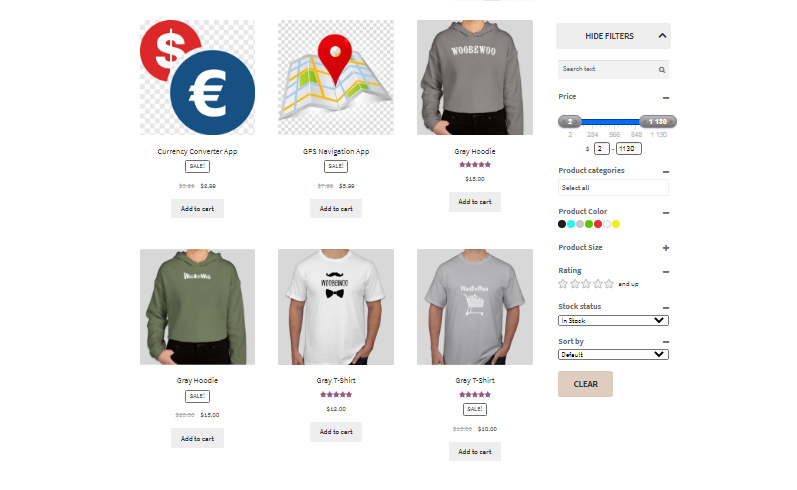
Still, have any questions? Read our detailed documentation or contact us and we will be glad to help you.