
Variable Product is a type of product in WooCommerce that allows you to offer a product with a set of variations, and you can also control prices, stocks, images and more for each variation. They can be used for goods such as shirt, where you can offer large, medium and small sizes in different colors.
WooCommerce Product Table by WooBeWoo fully supports variable products and can display them in a table in a variety of ways. For example :
- Select options in the pop-up.
- Show a button for each option.
- Display options as drop-down lists in the “buy” column.
- Display each variation as a separate product.
This documentation article will help you understand the 4th method, or how to display product variations as separate products in a table?
You can do this in two ways: manually and automatically.
Manually
To manually add product variations as separate products, you need:
- Move to the WooCommerce Product Table plugin menu, select the table you want and click Add Products.
- Next, in the top menu, put a tick on the option Show variations .Now in the product list, you display each variation as a separate product.
- It remains only to select the ones you need and click to add the selected products to the table

Add products variations automatically
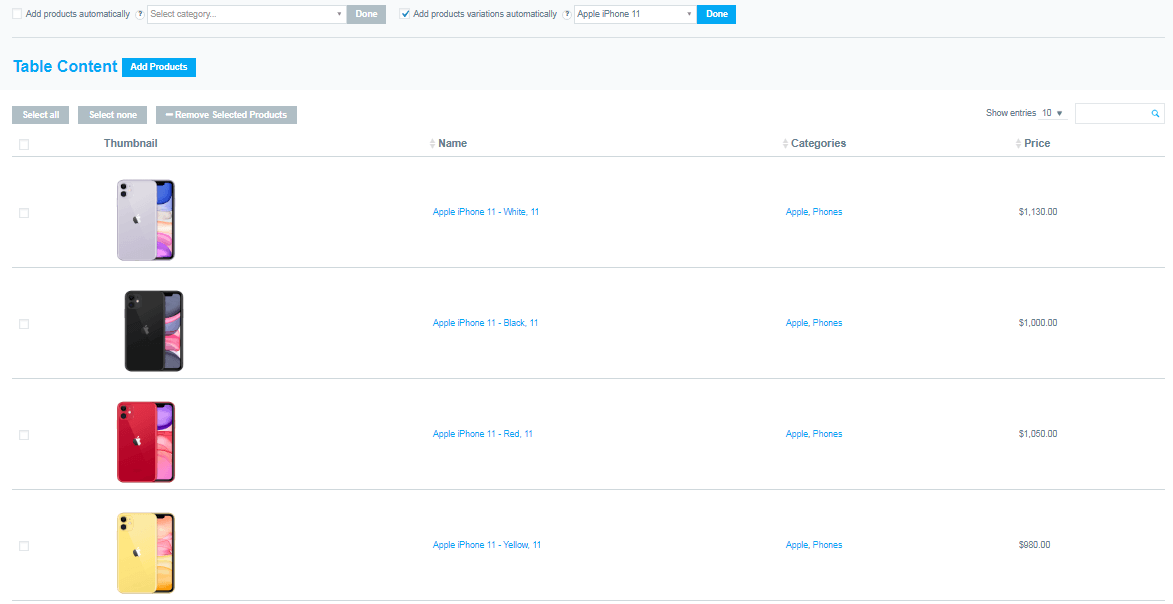
Instead of manually adding each variation, you can enable this option and all product variations are automatically added to the table as individual products.
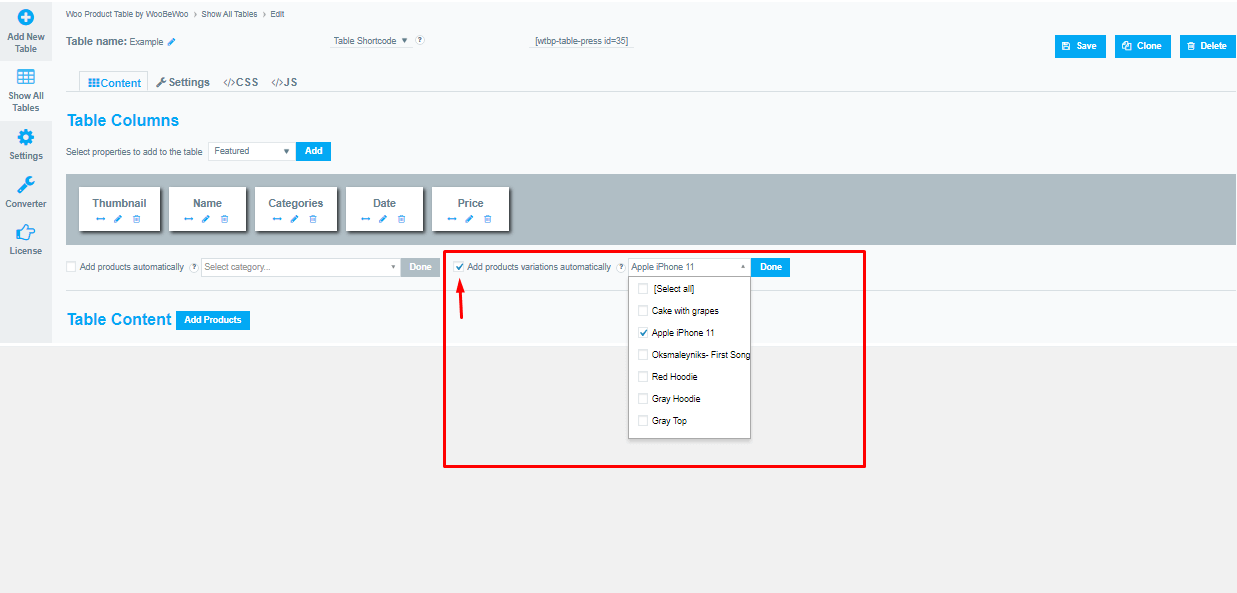
To enable this option, click on the checkbox and in the drop-down list select the variations of which particular product you want to add to the table. The variations will then appear in the table as separate products.
Still have questions? Explore our detailed documentation, or contact us and we will be happy to help you.