
In the WooCommerce Product Table, product descriptions will be displayed in the Summary and Short Description columns.
You can change the length of the description shown in the table. And also determine how many characters will be displayed in the product table.
How to set the product description length?
And so, after since you added the Summary Column to the table. You can change the number of characters that you want to display in the product description.
By default, in the Summary column, a full description will be truncated to 100 characters.
In order to change this value, click on Pencil.
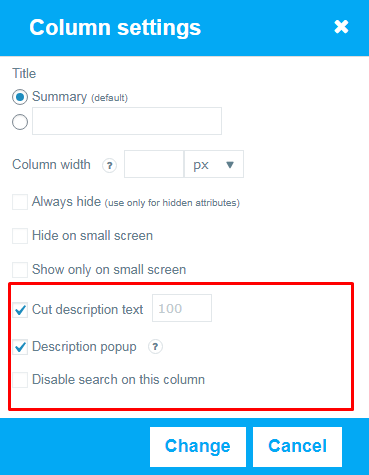
- Enter the number of characters in the Cut description text column to which you want to trim the description in the product table.
- Add a checkmark to Description popup .And a popup will open when you click on a description with a full description of the product on it.
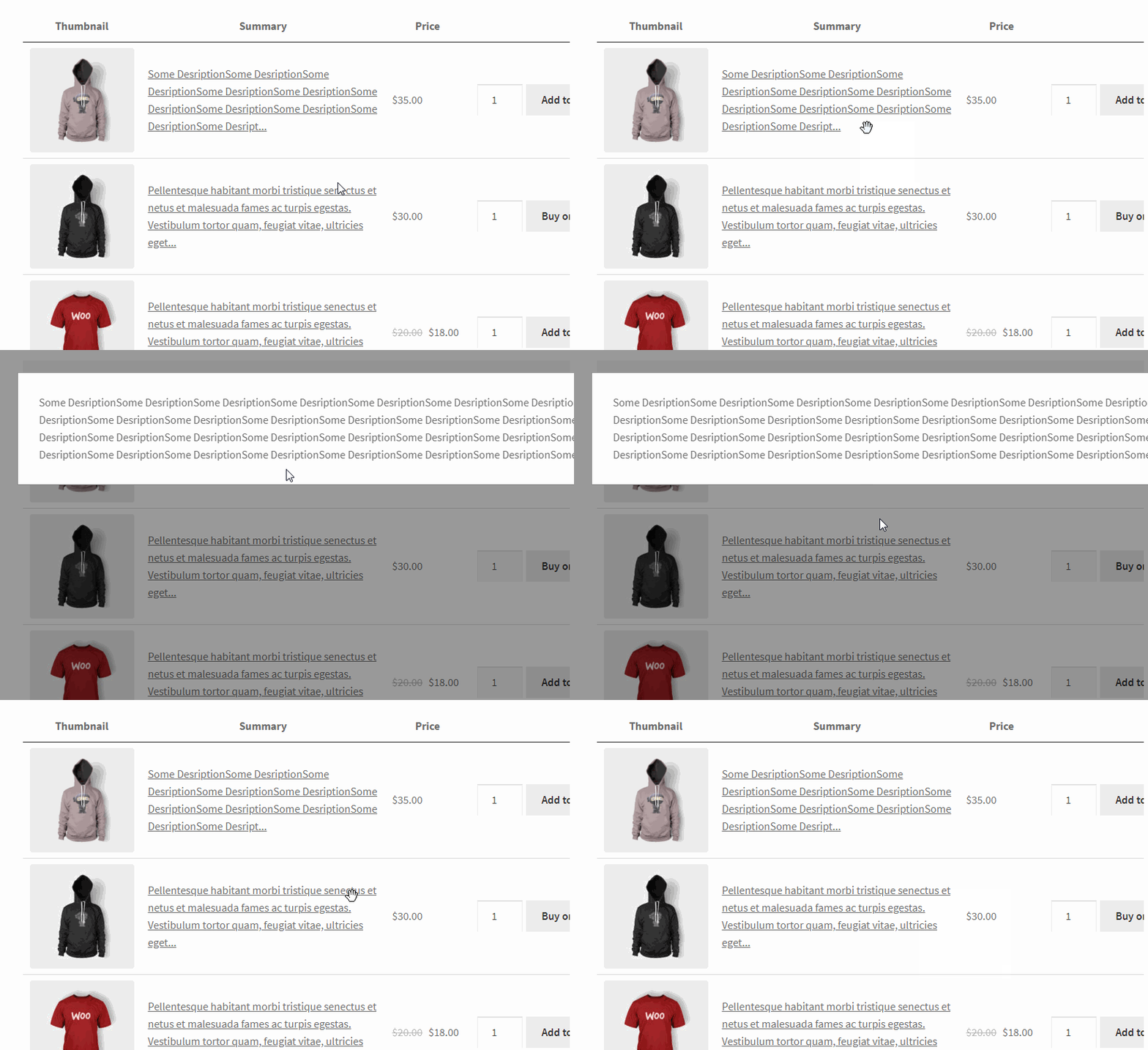
- Uncheck Cut description text if you do not want to trim your description. (caution, if the description is too long, it may lead to slow loading)
Can I change the length of the short description?
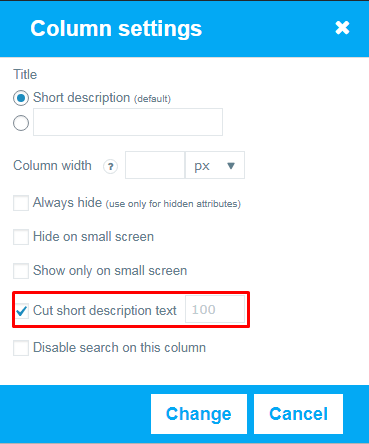
Of course ! You can do this in a similar way. Turn Cut short description text on or off. You can also set the length to which the description will be trimmed.
With our wide table settings, you can choose your ideal look for your product table
Still have some questions about Product Description Length? Contact us and ask about it.