
Variable products are a product type in WooCommerce that lets you offer a set of variations on a product, with control over prices, image and more for each variation.
Product Table provides you with the settings to represent such products in the way you prefer – with an option to Show variation thumbnails, Display the first variation selected by default. ,as well as different ways to display variations in the table .
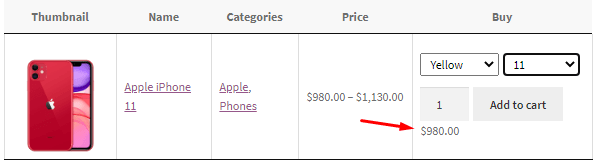
By default the price for every selected variation is displayed in the Buy column and the range of price for the product on the Price column:
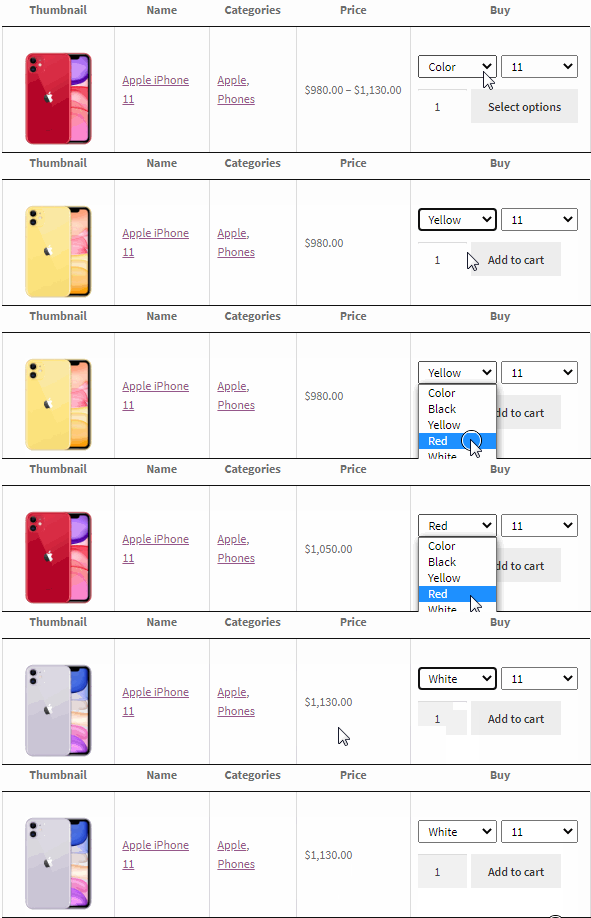
Also, you are able to display the price for the selected variant in the Price column:
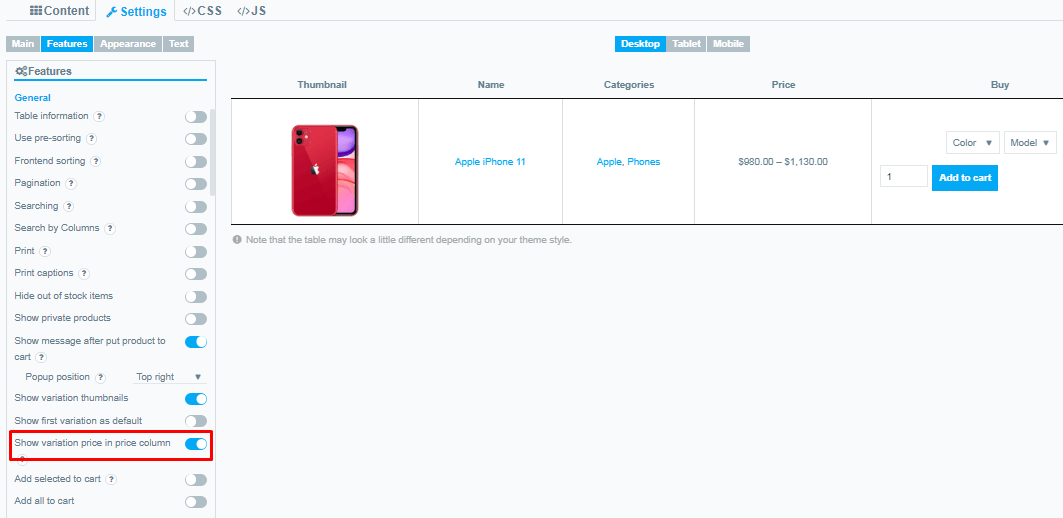
Just enable Show variation price in price column and variation price will appear in the separated column.(Settings->Features)
Note! Works only with enabled price column.
Still, have questions? Read our detailed documentation or Contact us and we will be happy to help you